


SOLIDWORKD PDM – Collect Support Information…

Article by Nadeem Akhtar updated June 20, 2011
Article
Sometimes the archive log file is not enough to troubleshoot your vault – the “Collect Support Information…” tool allows you to quickly generate a variety of logs and reports.
STEP 1: In the SOLIDWORKS PDM Administration, login to PDM vault as ‘Admin’, right-click on the vault and click on Collect Support Information…
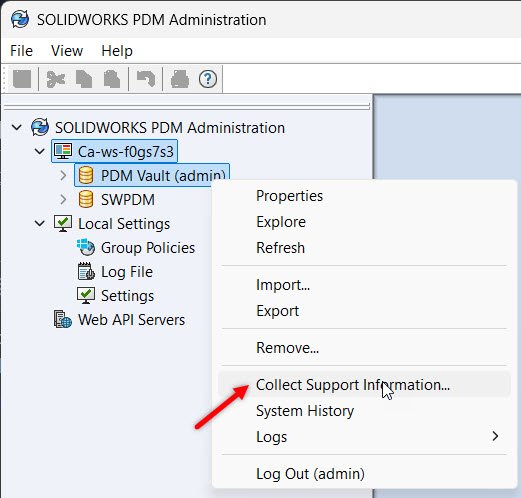
Collect Support Information
STEP 2: Choose the information to be generated.

Collect Logs and Settings
STEP 3: Add any files or folders from the Archive, if required.
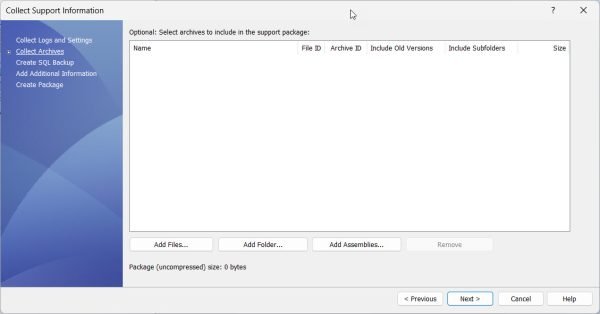
Collect Archives
STEP 4: If needed or requested, create a back-up of the SQL database.

Collect SQL Backup
STEP 5: Enter any additional information that you feel is important.
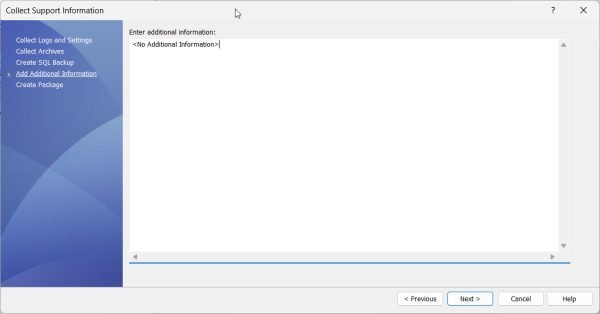
Additional Information
STEP 6: Create the package.
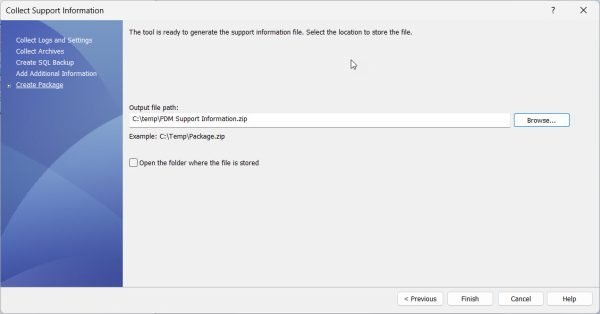
Create Package
STEP 7: Send the resulting zip file to the support help desk of your local SOLIDWORKS reseller.
Related Links
Want to do more with SOLIDWORKS PDM?
Our Certified SOLIDWORKS PDM Experts can help you to:
Posts related to 'SOLIDWORKD PDM – Collect Support Information…'
