


Blog Category
Showing 1-15 of 378.
Stratasys 3D Printing
Stratasys 3D Printing Information




Using the new Stratasys F120 3D printer and SOLIDWORKS to build end-use products
 By Ali Shahab on November 21, 2019
Technology is constantly evolving; every day there are new and innovative products on the market. Recently, there has been a rise in popularity of bladeless products, like fans and hairdryers. With the extreme heat this…
Design to Manufacture of a Custom Gauge Holder (Part 3 of 3)
 By Bryan Sprange, CSWE on October 6, 2019
In the final post of my three part series on creating a custom oil pressure gauge holder for my car, I cover the finishing touches to my SOLIDWORKS model file, and 3D printing a physical…
3D printing allows for lighter and less expensive End of Arm Tooling
 By Rod Mackay on August 28, 2019
FDM technology provides an alternative method for producing End of Arm Tooling (EOAT) that can provide dramatic time and cost savings while optimizing performance. FDM is an additive manufacturing (3D printing) process that builds plastic parts…
3D Printing Jigs & Fixtures can reduce fabrication costs by 50–90%
By Rod Mackay on August 26, 2019
Watch the video below to learn how 3D printed jigs and fixtures for the production floor can reduce fabrication costs by 50–90%. Factory production lines know the right jig or fixture speeds production, which increases…
How to apply Textures to 3D Printed Parts with SOLIDWORKS
By Rod Mackay on August 21, 2019
SOLIDWORKS users often need to create complex or repeating features, but these features can be time-consuming to generate, especially on complex models. Some designs, such as a textured surface or a grip, require textures or…
How Educators and Students create realistic full-colour multi-material 3D models
By Rod Mackay on August 13, 2019
Ask anyone in education what their top objectives are, and they’ll probably say it’s to enable students and faculty to achieve more, faster than what’s possible now, while saving money in the process. Ask what’s…
How to replace a Print Head on a Stratasys F120 Desktop 3D Printer
By Rod Mackay on August 7, 2019
The Stratasys F120 is designed to be reliable, easy to work with, and more importantly easy to maintain. Take a look at the video below to see how easy it is to replace a print…
3D Printing Service – Brake Pedal Cover: TPU 92A Material
By Ali Shahab on July 26, 2019
Here at Javelin Technologies, our 3D printers are hard at work. Whether it’s a 3D printing service job, a benchmark, or a part for internal use, the 3D printers are rarely idle. Our Oshawa and…
Design for Additive Manufacturing with SOLIDWORKS Simulation Topology Study
 By Angus Hudson, CSWP on July 25, 2019
Additive manufacturing is no longer a bleeding edge technology; this powerful method is being used across countless industries, for applications ranging from rapid prototyping to jigs/fixtures and production end-use parts. Widespread adoption of the materials and…

A growing demand for 3D printing design services The proliferation of 3D printing technology has created a substantial demand for engineering services that create and deliver its benefits. At the forefront of these services is…
Will 3D Printing Spare Parts Eliminate the Warehouse?
By Rod Mackay on June 21, 2019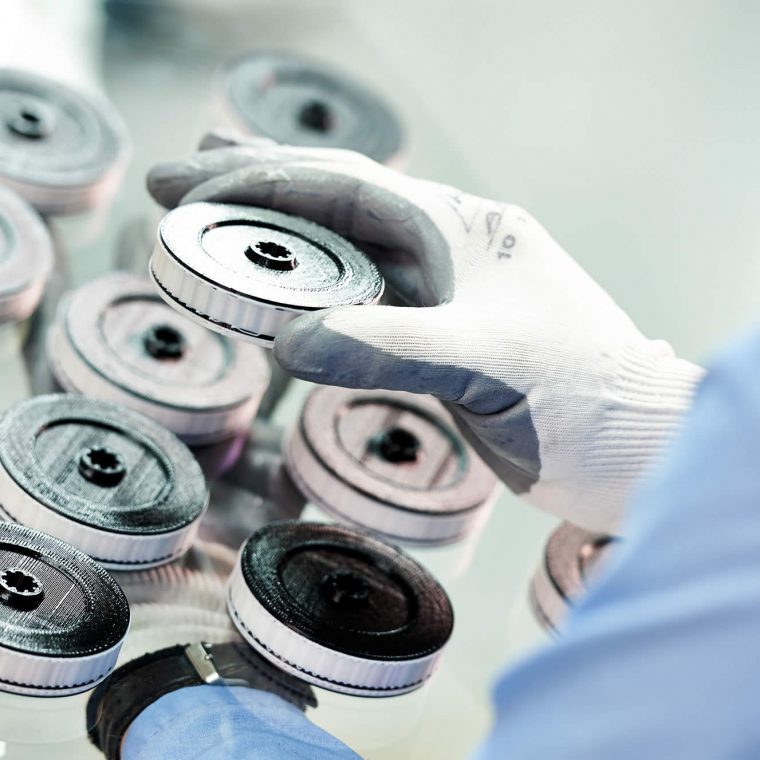
Is 3D printing spare parts on demand a realistic business model? This white paper from Stratasys will look at the business drivers for adopting 3D printing and the applications for the technology. In this paper,…
How to improve Aesthetic and Mechanical Properties of FDM 3D Printed Parts
 By Stratasys Ltd. on June 21, 2019
Finishing adds Value to your FDM 3D printed parts 3D printing technology breaks the rules of conventional manufacturing. It allows engineers to build complex geometries, create massive parts, consolidate multiple part components and design solely…

How CAD files are exported to STL is an important process for accurate building of parts. The step by step process for converting CAD to STL was taken straight from the mentioned companies websites. STL…
3 Reasons why the Stratasys F120 is the best 3D Printer for SOLIDWORKS
By Rod Mackay on April 5, 2019
3D printing is becoming very popular with designers, engineers, educators, and especially SOLIDWORKS users who want to create prototypes of their CAD models. We are often asked the question “What is the best 3D printer…
Upgrading Stratasys F123 3D Printers for FDM TPU 92A Material – Part 2
 By Pierre Hart on March 2, 2019
Learn how to upgrade Stratasys F123 series of 3D printers with an upgrade kit so they are able to print the new FDM TPU 92A elastomer material. TPU is a thermoplastic polyurethane material that can…

Design Services
From concept to manufacturing to scale, TriMech Design Services helps makers, startups, inventors, small manufacturers get to market.
Most Popular Posts

SOLIDWORKS 2024 Hardware Recommendations
TriMech has compiled this recommended SOLIDWORKS 2024 hardware guide to aid you in the process of upgrading or purchasing new hardware for SOLIDWORKS.

IMPORTANT! Transfer Activation Prior to Upgrading to SOLIDWORKS 2024
Prior to installing SOLIDWORKS 2024, you need to transfer activation from your prior release of SOLIDWORKS to ensure it’s available to activate SOLIDWORKS 2024.

SOLIDWORKS Packages Comparison
What is the difference between SOLIDWORKS® Standard, Professional and Premium 3D CAD software? Learn about the features included in each of the three SOLIDWORKS offerings.