


Blog Category
Showing 1-15 of 265.
3DEXPERIENCE Works
Techs tips for 3DEXPERIENCE Works Roles and Apps




Using 3DEXPERIENCE with SOLIDWORKS Premium Routing
 By Wayne White on February 17, 2025
In this article, learn the critical steps in connecting your SOLIDWORKS Premium Routing environment to your 3DEXPERIENCE Platform are outlined below.
 By
By 
Backing up your data is always good policy. 3DEXPERIENCE includes cloud-based file storage already, but if you want to create an on-site backup then keep reading. For exporting an individual project, we recommend exporting as a package. But what if you want to back up ALL of your data? Read more to learn how.
Tips for a Successful Upgrade to SOLIDWORKS 2025
 By Jamal Bakari on December 6, 2024
Upgrading to SOLIDWORKS 2025? Don’t miss these essential tips to ensure a smooth transition! From reviewing system requirements and verifying your graphics card certification to leveraging the Copy Settings Wizard for preserving customizations, we’ve got you covered.
FKM Assessment Using Durability Simulation Role on 3DEXPERIENCE
 By Suman Sudhakaran on October 14, 2024
Durability Simulation on the 3DEXPERIENCE platform streamlines the evaluation of welded joints, incorporating FKM Assessment to analyze both static and fatigue strength, ensuring accurate and efficient structural performance analysis.

The SOLIDWORKS 2025 Manufacturing Shop Floor Programmer Role, enables users to program advanced 2.5-axis milling machines, 3- axis milling machines, and 2- / 4- axes wire EDM machines to create 3D parts.
SOLIDWORKS 2025 3DEXPERIENCE Browser Based Roles
 By TriMech Solutions, LLC on October 4, 2024
Re-imagine design, collaboration, and documentation with the enhanced suite of cloud-based tools with SOLIDWORKS 2025 3DEXPERIENCE Browser Based Roles.
An Admin’s Guide: Getting Started with 3DEXPERIENCE Works PDM (ENOVIA)
By Wayne White on September 13, 2024
So, you just purchased a 3DEXPERIENCE product, and your team plans to start using the power of ENOVIA (data management) in the platform – where should you start?
3DEXPERIENCE on Cloud: Revision Drawings Synchronously with Models
By Wayne White on September 4, 2024
There is no way to systematically enforce the model and revision drawings to remain synchronized in 3DEXPERIENCE on cloud. However, there is a way to upcycle both the drawing and reference concurrently.
Strength of Cohesion Using Cohesive Section Property in 3DEXPERIENCE
By Suman Sudhakaran on August 30, 2024
In the realm of engineering simulations, the ability to accurately predict the behavior of materials under various conditions is paramount. This is where the Cohesive Section Property option in Abaqus and the structural simulation roles on the 3DEXPERIENCE platform…
Go Green with ECO Design Engineer: Getting Started
By Wayne White on August 19, 2024
Eco Design Engineer is a role in the 3DEXPERIENCE Platform that allows users to iterate and optimize their product’s environmental footprint. It allows for comparison of design alternatives to ensure minimal impact on the planet. Much of a product’s environmental impact is determined during the design phase. As below, with the power of the virtual twin, users can reduce both cost and environmental impact.
Expanding SOLIDWORKS Simulation Premium Boundaries with SIMULIA Apps on 3DEXPERIENCE
By Suman Sudhakaran on August 12, 2024
When SOLIDWORKS Simulation Premium encounters limitations with complex geometries and intricate physics, SIMULIA apps on the 3DEXPERIENCE platform offer a powerful next step, enabling engineers to efficiently handle nonlinear structural problems with robust solver capabilities and advanced material models.
Sailing Toward New Horizons using Fluid Model Creation App on 3DEXPERIENCE
By Suman Sudhakaran on July 22, 2024
Computational fluid dynamics simulation is extensively used in the modeling of fluid flows including thermal management studies. Fluid Dynamics engineer role on 3DEXPERIENCE platform includes a native application ‘ Fluid model creation’, that enables users…
3DEXPERIENCE: Unlock Advanced Parametric Design Options
By Suman Sudhakaran on July 8, 2024
Parametric design study is a powerful tool that enables engineers to optimize their product designs by analyzing the impact of various design parameters on their product’s performance.
How to modify Simulation Type using the 3DEXPERIENCE Scenario Manager
By Suman Sudhakaran on July 3, 2024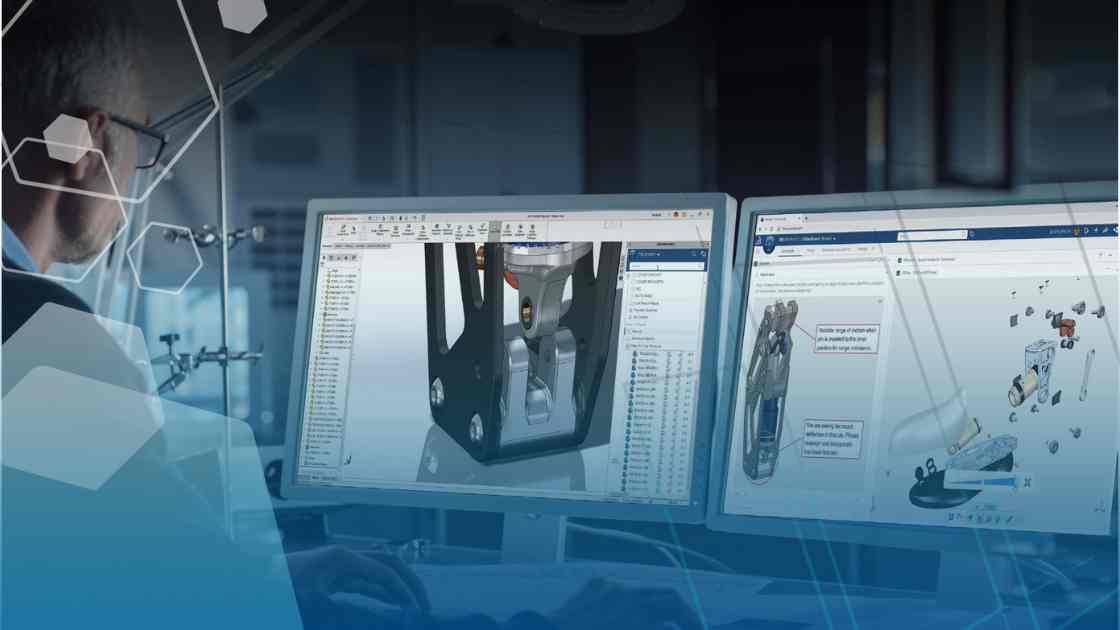
The 3DEXPERIENCE Scenario Manager in the Structural Performance Engineer role and Structural Mechanics Engineer role is a hidden gem when modifying the simulation type of structural analysis case
3DEXPERIENCE Integration and Understanding Metadata
By Wayne White on June 17, 20243DEXPERIENCE Integration is an option for those using 3DEXPERIENCE on Cloud for SOLIDWORKS CAD data management. Over time, companies have been provided more options to cater the experience in the Platform to their own liking.

Design Services
From concept to manufacturing to scale, TriMech Design Services helps makers, startups, inventors, small manufacturers get to market.
Most Popular Posts

SOLIDWORKS 2024 Hardware Recommendations
TriMech has compiled this recommended SOLIDWORKS 2024 hardware guide to aid you in the process of upgrading or purchasing new hardware for SOLIDWORKS.

IMPORTANT! Transfer Activation Prior to Upgrading to SOLIDWORKS 2024
Prior to installing SOLIDWORKS 2024, you need to transfer activation from your prior release of SOLIDWORKS to ensure it’s available to activate SOLIDWORKS 2024.

SOLIDWORKS Packages Comparison
What is the difference between SOLIDWORKS® Standard, Professional and Premium 3D CAD software? Learn about the features included in each of the three SOLIDWORKS offerings.