


Blog Category
Showing 1-15 of 266.
3DEXPERIENCE Works
Techs tips for 3DEXPERIENCE Works Roles and Apps




External Collaboration On The 3DEXPERIENCE Platform
 By Kevin Seyler on October 16, 2025
Effective collaboration with external partners is essential for modern businesses. The 3DEXPERIENCE platform offers a suite of powerful tools designed to facilitate both internal and external collaboration seamlessly. One of the standout features is the…
Master Linear and Circular Patterning in SOLIDWORKS xDesign
 By Wayne White on October 2, 2025
Patterning in SOLIDWORKS xDesign is at the heart of CAD modeling, enabling designers to create precise, repetitive features and design geometry. There are a couple of core options related to patterning, including linear and circular…
How to Use CAD Packages to Collaborate with External Contractors on 3DEXPERIENCE CAD Data
 By John Lee, CSWE on September 30, 2025
If you’re a 3DEXPERIENCE platform user, you know that the platform is designed to keep your data secure and under control, remaining within the confines of the platform as projects move through the design process….
Mastering Surface Modeling in xShape and xDesign
By Wayne White on September 22, 2025
Learn how xShape and xDesign simplify surface modeling for complex CAD models. Discover key tools like Delete Face, Offset, and Thicken for precise geometry.
Setting Up Derived Outputs for SOLIDWORKS Files on The 3DEXPERIENCE Platform
By Kevin Seyler on September 11, 2025
After you’ve created your SOLIDWORKS part, assembly, or drawing, you may need to save this file as a PDF, STEP, or DXF file. The 3DEXPERIENCE platform allows you to create these derived outputs to generate…
Comparing Drawing Revisions Using 3DMarkup on 3DEXPERIENCE
By Kevin Seyler on September 5, 2025
Visualizing changes in product designs for both parts and drawings helps to simplify the review and approval process. Comparing drawing revisions is very helpful to understand what has changed in a design. The 3DEXPERIENCE platform…
Unlocking the Power of SOLIDWORKS Cloud Services
 By Dave Ramsey on September 1, 2025
Have you been wanting to start your journey with the 3DEXPERIENCE platform, but weren’t sure of how best to incorporate your SOLIDWORKS environment with it? Don’t worry, you’re not alone. Almost every SOLIDWORKS user has…
Using the Combine Tool in SOLIDWORKS xDesign for Mold Design
By Wayne White on August 25, 2025
SOLIDWORKS xDesign allows for advanced feature creation, including Boolean operations. Leveraging advanced features like the Combine tool in xDesign can allow for the rapid creation of a rudimentary core and cavity tooling split for injection…
Lighter and Stronger with Lattice Designer on 3DEXPERIENCE
 By Suman Sudhakaran on August 19, 2025
In our world of advanced manufacturing, the demand for lighter, stronger, and more sustainable components is higher than ever before. What if the key to stronger, lighter, and more efficient products lies not in solid…
In-Context Editing with SOLIDWORKS xDesign
By Wayne White on August 13, 2025
In-context editing allows designers to create models in the context of other geometry by referencing existing features, faces, or planes. This lets them create parametric relationships between parts that you wouldn’t necessarily be able to…
What to Consider When Switching CAD Systems
 By Ryan Burgess on August 5, 2025
Switching CAD systems isn’t something you do without making sure you understand the implications and undertaking to get there. You need to be sure that your team will be supported not only for the transition…
Troubleshooting 3DEXPERIENCE Connection Errors
 By Scott Durksen, CSWE on August 1, 2025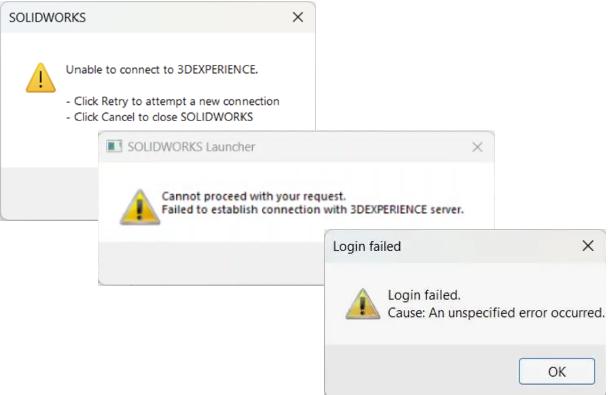
The 3DEXPERIENCE platform enhances collaboration and eliminates geographical barriers for designers. As this is an online platform, a solid connection is required to ensure stability and performance. General checks can be performed for internet connection…
Managing the Local 3DEXPERIENCE Cache
By Scott Durksen, CSWE on July 17, 2025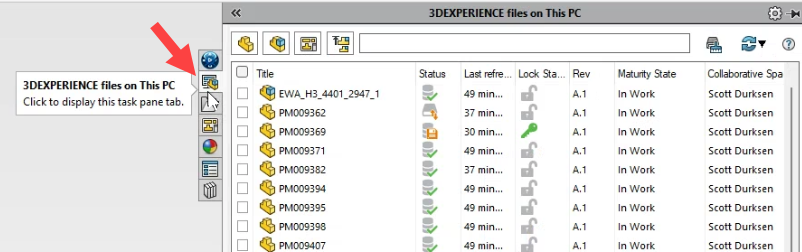
The 3DEXPERIENCE platform provides many benefits, including the ability to manage your files on the cloud for easy access anywhere, anytime. A local Windows Explorer folder is defined as a cache directory to load SOLIDWORKS…
Creating 3DEXPERIENCE Assembly Drawings
By Wayne White on July 7, 2025
Assembly drawings are important at the end of the design process to capture manufacturing information. Designers need a way to document the parts with respect to the whole product assembly. Drawings traditionally indicate a product…
SOLIDWORKS xDesign Design Changes with In-Context Relations
By Wayne White on June 20, 2025
Very rarely does a design hit the mark on the first attempt. Making changes is a fundamental step of creating, evolving, and improving your designs and products. SOLIDWORKS xDesign makes the iterative process of making…

Design Services
From concept to manufacturing to scale, TriMech Design Services helps makers, startups, inventors, small manufacturers get to market.
Most Popular Posts

SOLIDWORKS 2024 Hardware Recommendations
TriMech has compiled this recommended SOLIDWORKS 2024 hardware guide to aid you in the process of upgrading or purchasing new hardware for SOLIDWORKS.

IMPORTANT! Transfer Activation Prior to Upgrading to SOLIDWORKS 2024
Prior to installing SOLIDWORKS 2024, you need to transfer activation from your prior release of SOLIDWORKS to ensure it’s available to activate SOLIDWORKS 2024.

SOLIDWORKS Packages Comparison
What is the difference between SOLIDWORKS® Standard, Professional and Premium 3D CAD software? Learn about the features included in each of the three SOLIDWORKS offerings.