


Javelin / TriMech Author

Justin Williams
Installing The SQL Express Management Studio
 By Justin Williams on May 20, 2017
With the 2019 release and later versions of SOLIDWORKS PDM, the SQL Server Management Studio is no longer included within the installation media. Please see here for our updated guide to downloading and installing the SSMS. The SQL Server Express Management Studio is a must…
Searching For a Configuration By Name in SOLIDWORKS PDM
By Justin Williams on May 19, 2017
In SOLIDWORKS PDM using the Complete Search Card you can search for a specific configuration by name. Note: This option was added in Enterprise PDM 2011, if you don’t have the necessary check-boxes you may need to update your complete search card Searching For a Configuration…
Why you should always choose the root folder for the local view in SOLIDWORKS PDM
By Justin Williams on May 18, 2017
When creating a SOLIDWORKS PDM local view for a PDM client, the first dialog we’re greeted with is: Select the folder you want to create the file vault view in My recommendation is to select the root folder. In some cases users want to store…
SOLIDWORKS PDM Cleaner Service
By Justin Williams on May 15, 2017
When files are DESTROYED (this is different to being deleted and likely only the admin has permission), they aren’t removed from the vault archive until the SOLIDWORKS PDM Cleaner Service has been run. This can cause issues when your IT admin is frantically trying to clear space…
SOLIDWORKS PDM Connectivity Test Tool [Updated]
By Justin Williams on May 2, 2017
NOTE: This article has been updated to reflect the new version of the Connectivity Test Tool. The new tool is available to all customers and can be downloaded via the DS Support Knowledge Base article QA00000119794 Within a SOLIDWORKS PDM environment, there are several different…
How to install or upgrade the SOLIDWORKS PDM Dispatch Add-In
By Justin Williams on March 6, 2017
When upgrading the SOLIDWORKS PDM file vault to a new version, the add-ins in the vault will not automatically update. You can view a step by step guide to upgrading the Task Add-in. In this article, we are going to look at upgrading the Dispatch…
How to set 7-zip as the File Archiver For SOLIDWORKS PDM Copy Tree
By Justin Williams on February 27, 2017
It’s no secret I’m a big fan of the SOLIDWORKS PDM Copy Tree Feature. It have many benefits, especially when compared to Pack and Go. WinZip is the default archive utility for Copy Tree but we have the ability to configure that to 7-zip via the…
What is the difference between As-Built and Latest in a SOLIDWORKS PDM BOM?
By Justin Williams on February 22, 2017
The dividing factor between SOLIDWORKS PDM As-Built vs Latest in a Bill of Materials is a Check-in of the selected assembly. The As Built option will show the BOM for a referenced file at the time that the assembly is checked in whereas the Latest…
How to release a SOLIDWORKS PDM license when you Work Offline
By Justin Williams on February 17, 2017
In SOLIDWORKS PDM switching to Work Offline mode will not automatically free a PDM license; To release the license you must exit or Log off PDM via the System Tray; Then you’re free to Work Offline without consuming a license;
SOLIDWORKS PDM Professional Vault is missing on new client? (Updated)
By Justin Williams on February 15, 2017
If the SOLIDWORKS PDM Professional Vault missing on a new client it’s possibly caused by the incorrect client type being installed. For a SOLIDWORKS PDM Professional vault to be visible in the Administration Tool or View Setup tool a Professional client is required. To verify which client is installed:…
Stop the SOLIDWORKS PDM Login Prompt when creating a new email in Outlook 2016
By Justin Williams on February 9, 2017
Are you receiving a SOLIDWORKS PDM login prompt when you create a new email in Microsoft Outlook 2016? Read on to learn how to disable the Outlook SOLIDWORKS PDM Login. The Outlook SOLIDWORKS PDM Login is caused by the new Attach File feature in Outlook 2016, which…
SOLIDWORKS PDM Professional Active Directory users no longer automatically updated!?
By Justin Williams on November 24, 2016
Any SOLIDWORKS PDM vault administrator that uses the Windows Active Directory integration within PDM to manage users will have noticed the slow process of expanding the users node via the administration tool. When the users node is expanded SOLIDWORKS PDM software has to validate each user in the vault against…
SOLIDWORKS PDM 2017 Latest Version Overwrite
By Justin Williams on November 22, 2016
New in SOLIDWORKS PDM 2017 is the SOLIDWORKS PDM Latest Version Overwrite feature which enables users to overwrite a file while retaining the current version value. Previously in SOLIDWORKS PDM a new version was created for every check in of a file. Repairing something as simple as…
Can I upgrade my SOLIDWORKS version without upgrading my PDM client?
By Justin Williams on November 21, 2016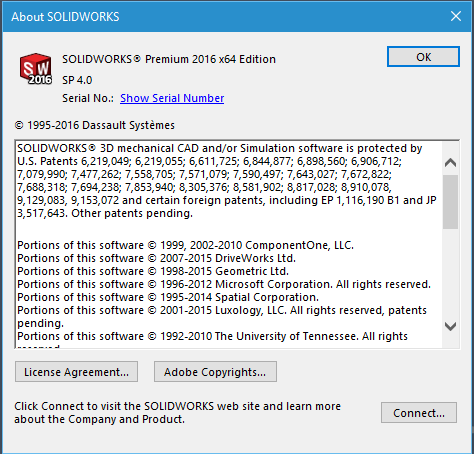
A question I frequently get asked on support is; “Can I upgrade my SOLIDWORKS version without having to upgrade my SOLIDWORKS PDM client?” SOLIDWORKS PDM Professional SOLIDWORKS PDM Professional officially supports the same version of SOLIDWORKS and two older versions. As an example; SOLIDWORKS PDM Professional 2016…
SOLIDWORKS PDM 2017 Client and Server Service Pack Compatibility
By Justin Williams on November 11, 2016
SOLIDWORKS PDM 2017 Client Server Compatibility now allows a mismatch between client and server components within the same major version. Which means any PDM server component upgrades will NOT require an upgrade to each client. Attention all IT System Administrators! Previously client and server components were required to be same major…