


Blog Category
Showing 1-15 of 664.
SOLIDWORKS PDM
Tips and Techniques for SOLIDWORKS PDM (Product Data Management) software for Users and Administrators




SOLIDWORKS PDM Error: ‘No database is connected to this view’ Adobe Reader XI (11.0.7)
 By Joe Medeiros, CSWE on June 16, 2014
When using SolidWorks Enterprise PDM the ‘No database is connected to this view’ error message may appear when opening a PDF from multiple folders using Adobe Reader XI (11.0.7). This error appears to be triggered by the Protected…
SOLIDWORKS PDM Could not access the item in the database
By Joe Medeiros, CSWE on June 10, 2014
The error message “Could not access the item in the database” can be the result of a number of issues. If the message is received when attempting to log into a vault, the issue may be…
EPDM – T-SQL Query: ShowFilesNotReplicated
By Joe Medeiros, CSWE on June 3, 2014
The Replication report available in SolidWorks Enterprise PDM Administrator will show how many files have not been replicated, but not the names of these files. SolidWorks subscription customers can access a T-SQL query, that will…
SOLIDWORKS EPDM – Default Values in Search Card
By Joe Medeiros, CSWE on May 30, 2014
Default values can be assigned to variables so that when a search is used, one or more fields will have a predefined default value. For example a default value can be added for the search path….
SOLIDWORKS PDM Cannot Find File Error when starting a New Part with a Vaulted Template
By Joe Medeiros, CSWE on May 29, 2014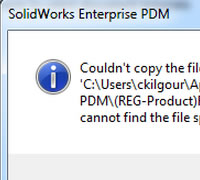
Many organizations will store their SOLIDWORKS templates in their SOLIDWORKS Enterprise PDM vault. On occasion a user will receive the following EPDM cannot find file error message: This can occur when a “clear local cache” was performed on the…
SOLIDWORKS EPDM – Clear Local Cache
By Joe Medeiros, CSWE on May 20, 2014
When a file is accessed in the vault, it is cached (saved) to location where the local vault view was created. Files do not need to be checked out in order to be cached. A…
5 reasons why you should upgrade SOLIDWORKS Workgroup PDM to SOLIDWORKS PDM Professional
 By Rod Mackay on May 5, 2014
If you are currently managing your projects with SOLIDWORKS Workgroup PDM (WPDM) but need to expand your system to accommodate users outside of your organization, connect with other business systems, or require a more advanced document workflow…
Flexible Retrieval of Referenced Files During Check Out – new in SolidWorks EPDM
By Joe Medeiros, CSWE on April 14, 2014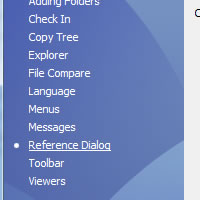
The manner in which referenced files are handled during check-out can now be controlled by an administrator. These options control whether reference files will be automatically selected when performing a get latest. To use these…
‘Always work with latest version of files’ Option – new in SolidWorks EPDM 2014
By Joe Medeiros, CSWE on April 10, 2014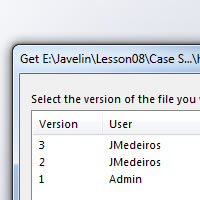
An administrator can now allows users, who have the option selected, to always work with latest version of files, and the ability to Get earlier versions of a file. This is done by enabling the option Enable the…
EPDM – What’s New 2014 – Extracting Hidden SolidWorks BOMs
By Joe Medeiros, CSWE on March 27, 2014
Even if a SolidWorks BOM is hidden in a SolidWorks assembly or drawing, the BOM can still be accessed through SolidWorks Enterprise PDM. This option can be set from the local vault view under, Display >…
EPDM – Version Free Variables
By Joe Medeiros, CSWE on March 26, 2014
Version free variables allow for a variable to be changed without checking out a file. Changing a version free variable will not increment the version of a file and a user can update the variable…
EPDM – Setting Permissions for Template Documents
By Joe Medeiros, CSWE on March 24, 2014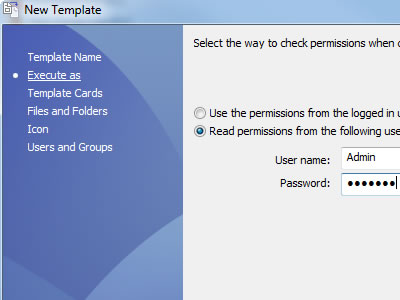
SolidWorks EPDM templates can be used to generate a document, based on an existing document template. For instance EPDM can use an Excel template to generate an Engineering Change Order (ECO). The template can contain…
EPDM – Template Folders and Design Library Components Must be Cached Locally
By Joe Medeiros, CSWE on March 19, 2014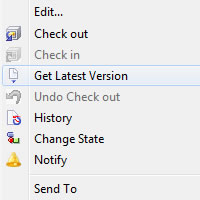
SolidWorks cannot access Template files & Design Library components directly from the Archive server. These files must be cached locally. To ensure that the proper version of the file is being used a “Get Latest”…
EPDM – Automated Cache Management
By Joe Medeiros, CSWE on March 12, 2014
In SolidWorks Enterprise PDM there are now tools that can automatically handle how files are cached. These tools are available for both the User & Group Properties. Clear the local cache during log-out, removes unwanted files…
EPDM – Simplifying Workflows using Workflow Links
 By Jagtar Sandhu on February 6, 2014
In order to adhere to the procedures that design must follow, a Workflow can be complex. These Workflows can be hard to follow, which can make them difficult to create or modify. Often these workflows…

Design Services
From concept to manufacturing to scale, TriMech Design Services helps makers, startups, inventors, small manufacturers get to market.
Most Popular Posts

SOLIDWORKS 2024 Hardware Recommendations
TriMech has compiled this recommended SOLIDWORKS 2024 hardware guide to aid you in the process of upgrading or purchasing new hardware for SOLIDWORKS.

IMPORTANT! Transfer Activation Prior to Upgrading to SOLIDWORKS 2024
Prior to installing SOLIDWORKS 2024, you need to transfer activation from your prior release of SOLIDWORKS to ensure it’s available to activate SOLIDWORKS 2024.

SOLIDWORKS Packages Comparison
What is the difference between SOLIDWORKS® Standard, Professional and Premium 3D CAD software? Learn about the features included in each of the three SOLIDWORKS offerings.