


SOLIDWORKS PDM 2017 Copy Group Permissions and Members

Article by Justin Williams updated November 10, 2016
Article
One of my favorite new enhancements within SOLIDWORKS PDM 2017 is that Vault Administrators can copy group permissions and members from an existing group when creating a new group. Previously the only way to copy permissions to a new group was manually; which was a monotonous task to say the least.
To use the SOLIDWORKS PDM Copy Group, first create a new group by selecting Administration Tool > Groups > [Right-Click] New Group;

- Give it a Group Name
- Select a Copy From Group
- Select Copy Permissions and/or Copy Members.
- Click Next

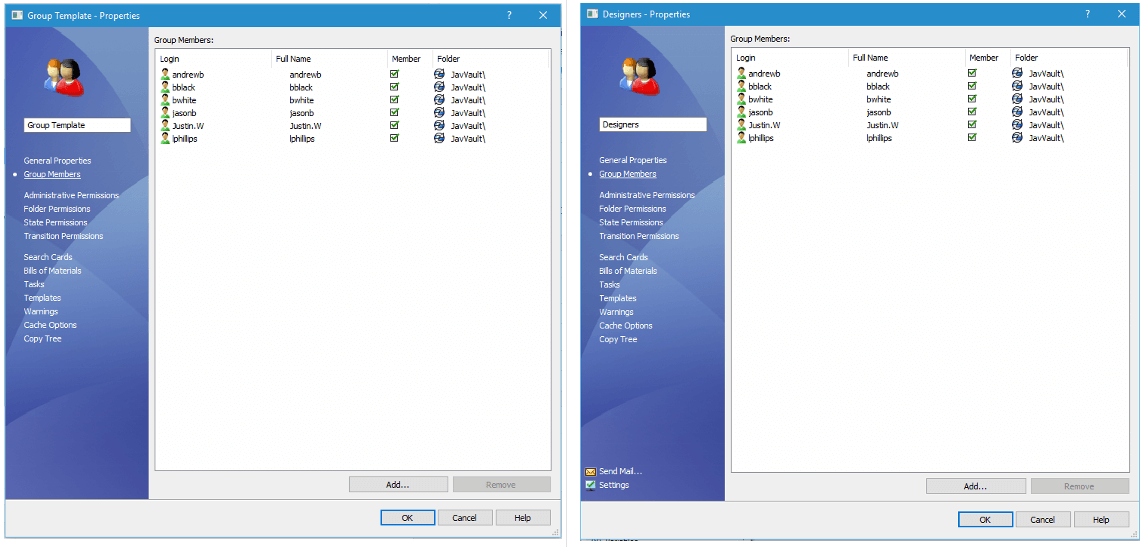
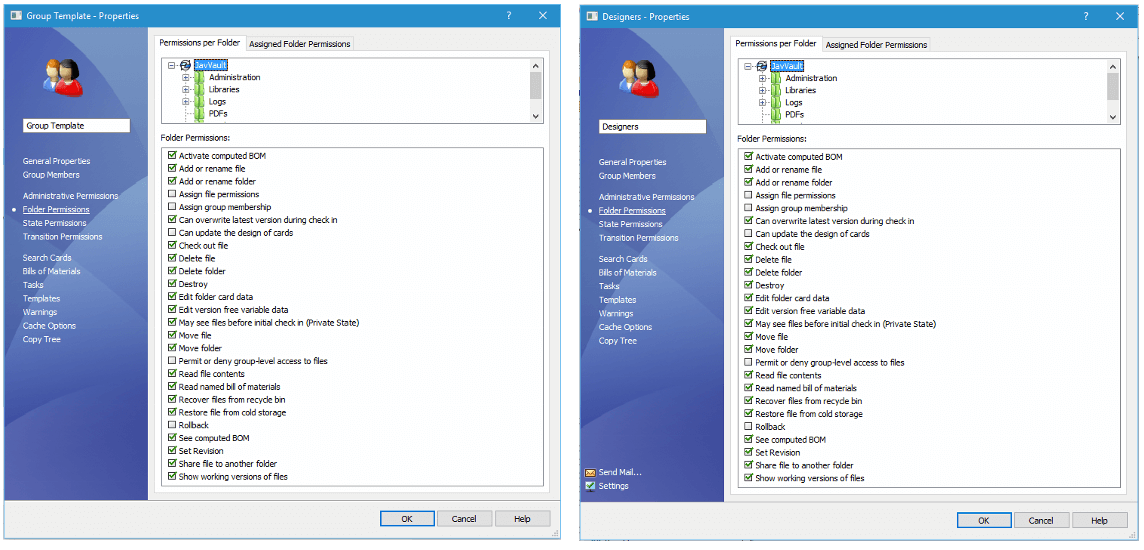
And your new group is created, complete with the Group Members copied, and the Group Permissions.
Learn more about SOLIDWORKS PDM
Attend a SOLIDWORKS PDM Professional Administration training course either in a classroom near you or live online.
SOLIDWORKS 2017 Resources
Access our resources page to get everything you need to learn what’s new in SOLIDWORKS 2017; including tech tips, demonstrations, and upcoming product webinars.
Related Links
Want to do more with SOLIDWORKS PDM?
Our Certified SOLIDWORKS PDM Experts can help you to:
Posts related to 'SOLIDWORKS PDM 2017 Copy Group Permissions and Members'
