


Blog Category
Showing 1-15 of 2,523.
SOLIDWORKS Tech Tips
Thousands of SOLIDWORKS Tech Tips created by the team of Certified Experts at Javelin




Elevating SOLIDWORKS Plastics Simulation with Abaqus Tools
 By Suman Sudhakaran on October 27, 2025
As product design engineers, we occasionally encounter disconnected workflows using different software packages and not being able to transfer data from one app to another easily. For example, insights gained from a plastics simulation might…
Combining Different Part Numbers into a Single SOLIDWORKS BOM Column
 By John Lee, CSWE on October 24, 2025
With drawing sheet space at a premium, there is arguably a benefit to minimizing the number of columns in the bill of materials (BOM) table. Combining different part number sources within one BOM column can…
How to Use SOLIDWORKS Configurations in SOLIDWORKS Visualize
 By Carleigh Amyot, CSWP on October 21, 2025
One major advantage of SOLIDWORKS Visualize Professional is the ability to use SOLIDWORKS configurations and toggle between multiple configurations within the rendering software. This is extremely helpful to save time when setting up multiple renders…
Breaking Down What SOLIDWORKS Serial Numbers Mean
 By Alaa Hosn on October 20, 2025
Every desktop installation of SOLIDWORKS begins with a serial number, regardless of whether it is for 3D CAD, Simulation, Electrical, PDM, or any other add-ins. Users who have set up a license before are probably…
Top 10 Enhancements in SOLIDWORKS 2026
 By TriMech Solutions, LLC on October 17, 2025
The SOLIDWORKS 2026 Launch is just around the corner. This year, SOLIDWORKS is bringing 30 years of innovation, pulling out all the stops, and giving us the best release yet!
External Collaboration On The 3DEXPERIENCE Platform
 By Kevin Seyler on October 16, 2025
Effective collaboration with external partners is essential for modern businesses. The 3DEXPERIENCE platform offers a suite of powerful tools designed to facilitate both internal and external collaboration seamlessly. One of the standout features is the…
Using the Component Preview Window to Speed Up Assembly Mates
 By Chris Duchaine on October 15, 2025
When working with complex assemblies in SOLIDWORKS, the process involves mating every component into place and ensuring that each component is well-defined. This can be time-consuming, as you often need to zoom in and rotate…
Override Document Level Tree Display to Change How Components are Listed
 By Mike Walloch, CSWE on October 13, 2025
The FeatureManager Tree in a SOLIDWORKS assembly contains a wealth of information. However, the tree display can get a bit cluttered with information you don’t particularly need for the job at hand. One such case…
SOLIDWORKS 2026 Hardware Recommendations
 By Alan Sweetenham on October 10, 2025
SOLIDWORKS 2026 hardware requirements guide to aid you in the process of upgrading or purchasing new hardware
Import Motion Studies with SOLIDWORKS Visualize Professional
By Carleigh Amyot, CSWP on October 10, 2025
Sometimes we set up motion studies or animations in SOLIDWORKS that would look incredible with the SOLIDWORKS Visualize rendering engine. Did you know that if you have a SOLIDWORKS Visualize Professional license, you can import…
Utilizing the Form Tool for Sheet Metal Parts
 By Ryan Burgess on October 8, 2025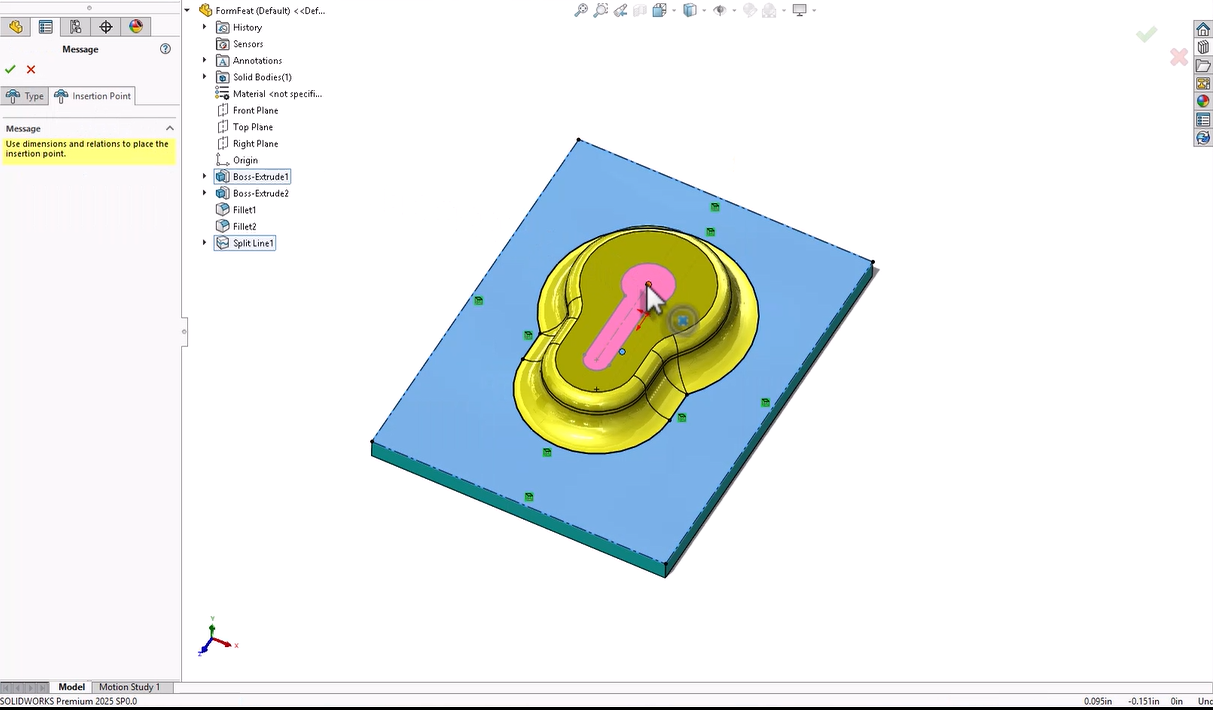
When designing sheet metal parts in SOLIDWORKS, the Form tool allows you to create shapes and features that are to be manufactured with a press or punch-style tool. This feature allows you to add more…
Why a CommandManager Tab May Appear in One Mode but Not Another | Customization Guide
 By Kiara Corbin on October 7, 2025
The CommandManager is the toolbar that appears across the top of the SOLIDWORKS window by default. The CommandManager displays different toolbars based on the type of document you are working on. Options that appear in…

DWG and DXF are widely accepted formats in the manufacturing world because they allow seamless communication between design and production teams. These formats are compatible with many CAM systems, CNC machines, and laser cutters, making…
Prevent External References Between Components in an Assembly
 By Sarah Taylor on October 3, 2025
External references, also known as in-context references, are created when a SOLIDWORKS sketch or feature utilizes reference geometry outside of the part that it was created within. This can help define the design intent while…
Master Linear and Circular Patterning in SOLIDWORKS xDesign
 By Wayne White on October 2, 2025
Patterning in SOLIDWORKS xDesign is at the heart of CAD modeling, enabling designers to create precise, repetitive features and design geometry. There are a couple of core options related to patterning, including linear and circular…

Design Services
From concept to manufacturing to scale, TriMech Design Services helps makers, startups, inventors, small manufacturers get to market.
Most Popular Posts

SOLIDWORKS 2024 Hardware Recommendations
TriMech has compiled this recommended SOLIDWORKS 2024 hardware guide to aid you in the process of upgrading or purchasing new hardware for SOLIDWORKS.

IMPORTANT! Transfer Activation Prior to Upgrading to SOLIDWORKS 2024
Prior to installing SOLIDWORKS 2024, you need to transfer activation from your prior release of SOLIDWORKS to ensure it’s available to activate SOLIDWORKS 2024.

SOLIDWORKS Packages Comparison
What is the difference between SOLIDWORKS® Standard, Professional and Premium 3D CAD software? Learn about the features included in each of the three SOLIDWORKS offerings.