


Blog Category
Showing 1-15 of 666.
SOLIDWORKS PDM
Tips and Techniques for SOLIDWORKS PDM (Product Data Management) software for Users and Administrators




SOLIDWORKS PDM Task Host Configuration on a Dedicated Computer
 By Kevin Seyler on September 17, 2025
SOLIDWORKS PDM Tasks are automated jobs that PDM can run for you. These tasks can be run on demand from the right-click menu or automatically during workflow transitions. The Task Host can be set up…
Managing SOLIDWORKS Electrical Library Parts in SOLIDWORKS PDM
 By Alaa Hosn on September 15, 2025
Managing library parts efficiently in SOLIDWORKS Electrical can be critical for keeping projects organized and ensuring that data is consistent across teams. In a recent webinar, we discussed how SOLIDWORKS Electrical integrates with SOLIDWORKS PDM…
Using The SOLIDWORKS PDM Move Tree for Efficient File Renaming and Organization
 By Jay Khajuriwala on September 10, 2025
Renaming files inside a SOLIDWORKS PDM vault can be intimidating, especially when they’re linked to assemblies, drawings, or other referenced files. Luckily, the Move Tree function in SOLIDWORKS PDM offers a safe and efficient way…
Integrating SOLIDWORKS Electrical with SOLIDWORKS PDM 2025
 By Ray Morrogh on September 2, 2025
Learn the key benefits of integrating SOLIDWORKS Electrical with SOLIDWORKS PDM 2025, how to connect your systems, and what TriMech offers to help you get the most out of this connection.
How to Cancel Stuck Tasks in SOLIDWORKS PDM
By Jay Khajuriwala on August 28, 2025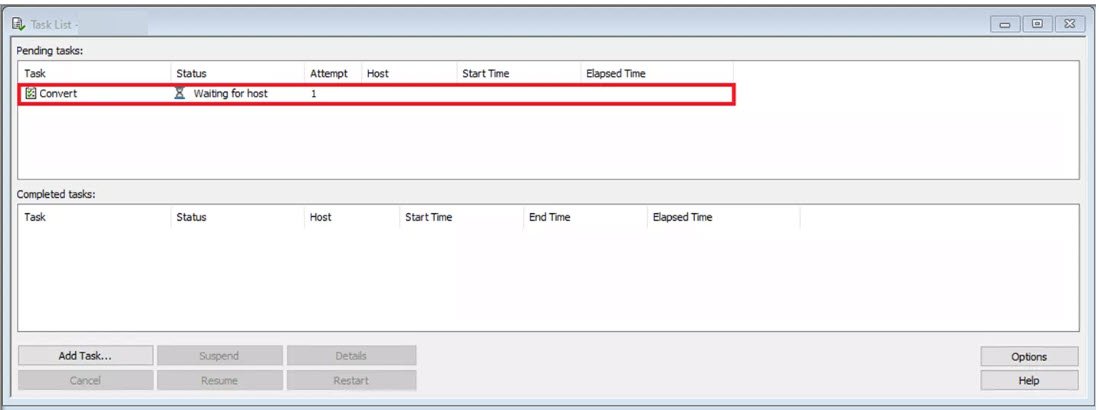
In SOLIDWORKS PDM, tasks running within the system may occasionally become unresponsive and fail to progress. When SOLIDWORKS PDM tasks stall out, it is necessary to cancel the stuck tasks from the Task List. This…
Resetting the SOLIDWORKS PDM Admin User to Default | A Step-by-Step Guide
 By Dewayne May on August 22, 2025
Follow this guide to effortlessly reset your SOLIDWORKS PDM Admin user to default settings and restore full administrative permissions.
Setting Up SOLIDWORKS PDM Template Variables
 By Izaaz Sheikh on August 15, 2025
SOLIDWORKS PDM templates are used to automate the creation of new file and folder structures. This can be done through a simple right-click in the Explorer Vault View. With templates, you can automatically name your…
Comparison Tools for SOLIDWORKS PDM and SOLIDWORKS Manage
By Kevin Seyler on August 8, 2025
Leveraging comparison tools and having the information readily available without needing to dig could mean the difference between a manufacturing mistake and a greatly improved product.
Understanding SOLIDWORKS PDM Search Results When Models have Multiple Configurations
 By Michael Koenig on August 4, 2025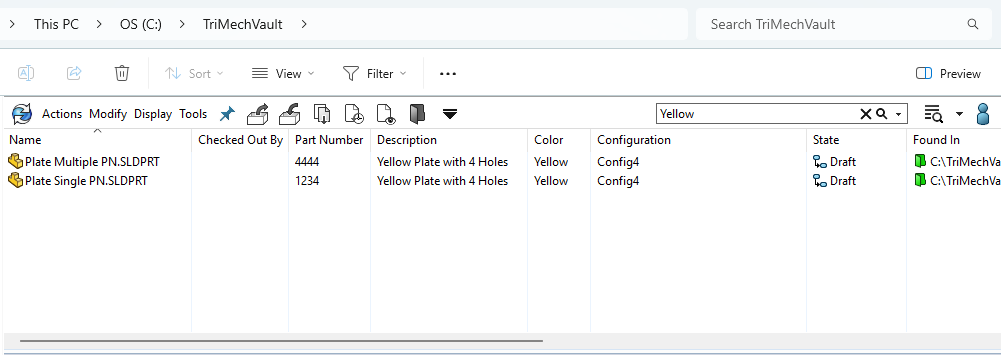
In SOLIDWORKS PDM, you can search for files in the vault based on certain criteria, including being able to search for specific file variables. For example, if you don’t know the name of a file,…
How to Locate and Save the SOLIDWORKS PDM Client Logs
 By Cody Foley on July 24, 2025
When troubleshooting SOLIDWORKS PDM issues, a helpful resource you can utilize is the SOLIDWORKS PDM Client logs. These log files let you see SOLIDWORKS PDM events from the local client. It reports activities such as…
Export Bill of Materials with Thumbnails in SOLIDWORKS PDM 2025
 By Derik Moore on July 21, 2025
While bill of materials are typically created and consumed from a SOLIDWORKS drawing, sometimes it is useful to export bill of materials to be consumed separately.
Hardware Recommendations for SOLIDWORKS 2024 Data Management
 By Andrew Lidstone, CSWE on July 8, 2025
We have compiled these architecture and hardware recommendations for the SOLIDWORKS 2024 data management tools. Use this guide when upgrading or purchasing new hardware for your SOLIDWORKS PDM or SOLIDWORKS Manage environments. While this guidance…
Hardware Recommendations for SOLIDWORKS 2025 Data Management
By Andrew Lidstone, CSWE on July 8, 2025We have compiled these architecture and hardware recommendations for the SOLIDWORKS 2025 data management tools. Use this guide when upgrading or purchasing new hardware for your SOLIDWORKS PDM or SOLIDWORKS Manage environments. While this guidance…
SOLIDWORKS PDM Services from TriMech
 By Sarah Taylor on June 6, 2025
Product Data Management (PDM) plays a crucial role in how engineering teams handle their design files, collaborate across departments, and maintain version control. At TriMech, we offer a comprehensive suite of SOLIDWORKS PDM services that…
Bolster Regulatory Compliance with SOLIDWORKS PDM
By Sarah Taylor on May 21, 2025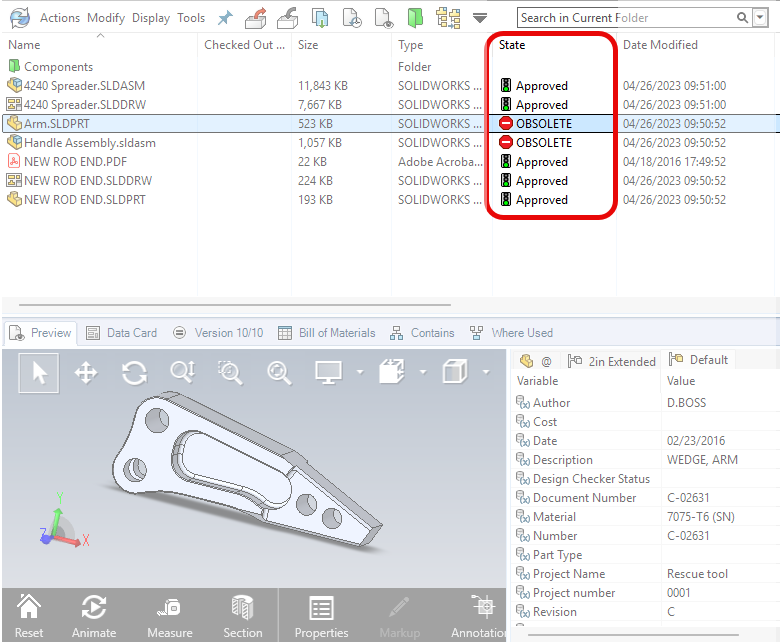
Companies operating in regulated industries may be required to comply with standards like ISO 9001, ITAR, or FDA (21 CFR Part 11). These regulations ensure product quality and safety, as well as data integrity and…

Design Services
From concept to manufacturing to scale, TriMech Design Services helps makers, startups, inventors, small manufacturers get to market.
Most Popular Posts

SOLIDWORKS 2024 Hardware Recommendations
TriMech has compiled this recommended SOLIDWORKS 2024 hardware guide to aid you in the process of upgrading or purchasing new hardware for SOLIDWORKS.

IMPORTANT! Transfer Activation Prior to Upgrading to SOLIDWORKS 2024
Prior to installing SOLIDWORKS 2024, you need to transfer activation from your prior release of SOLIDWORKS to ensure it’s available to activate SOLIDWORKS 2024.

SOLIDWORKS Packages Comparison
What is the difference between SOLIDWORKS® Standard, Professional and Premium 3D CAD software? Learn about the features included in each of the three SOLIDWORKS offerings.