


Blog Category
Showing 1-15 of 369.
SOLIDWORKS 3D Design
SOLIDWORKS 3D Design Techniques and Tutorials from Javelin




Breaking Down What SOLIDWORKS Serial Numbers Mean
 By Alaa Hosn on October 20, 2025
Every desktop installation of SOLIDWORKS begins with a serial number, regardless of whether it is for 3D CAD, Simulation, Electrical, PDM, or any other add-ins. Users who have set up a license before are probably…
Using the Component Preview Window to Speed Up Assembly Mates
 By Chris Duchaine on October 15, 2025
When working with complex assemblies in SOLIDWORKS, the process involves mating every component into place and ensuring that each component is well-defined. This can be time-consuming, as you often need to zoom in and rotate…
Override Document Level Tree Display to Change How Components are Listed
 By Mike Walloch, CSWE on October 13, 2025
The FeatureManager Tree in a SOLIDWORKS assembly contains a wealth of information. However, the tree display can get a bit cluttered with information you don’t particularly need for the job at hand. One such case…
Why a CommandManager Tab May Appear in One Mode but Not Another | Customization Guide
 By Kiara Corbin on October 7, 2025
The CommandManager is the toolbar that appears across the top of the SOLIDWORKS window by default. The CommandManager displays different toolbars based on the type of document you are working on. Options that appear in…
Prevent External References Between Components in an Assembly
 By Sarah Taylor on October 3, 2025
External references, also known as in-context references, are created when a SOLIDWORKS sketch or feature utilizes reference geometry outside of the part that it was created within. This can help define the design intent while…
Best Practices for Taming the SOLIDWORKS View Palette
By Mike Walloch, CSWE on September 25, 2025
SOLIDWORKS has many options designed to increase speed, efficiency, and user convenience. Unfortunately, they aren’t always the same, and improvements in one area can come at a cost in another. Such is the case when…
Your Complete Guide to Import Legacy Drawings from DXF/DWG
 By Jamie Hill, CSWE/CSWE-S on September 24, 2025
A while back, I inherited a project from a retiring engineer who’d been with the company since the ’90s. His desk was a treasure trove of perfectly crafted title blocks and detailed layout drawings, all…
How to Move a Standalone SOLIDWORKS Toolbox to a Network Location
 By Scott Durksen, CSWE on September 16, 2025
The SOLIDWORKS Toolbox, included with SOLIDWORKS Professional and SOLIDWORKS Premium licenses, is a powerful library of standard components that engineers can rely on daily. Having multiple users working on assemblies and referencing locally installed Toolbox…
Using Document Groups to Get Organized
 By Ryan Burgess on September 12, 2025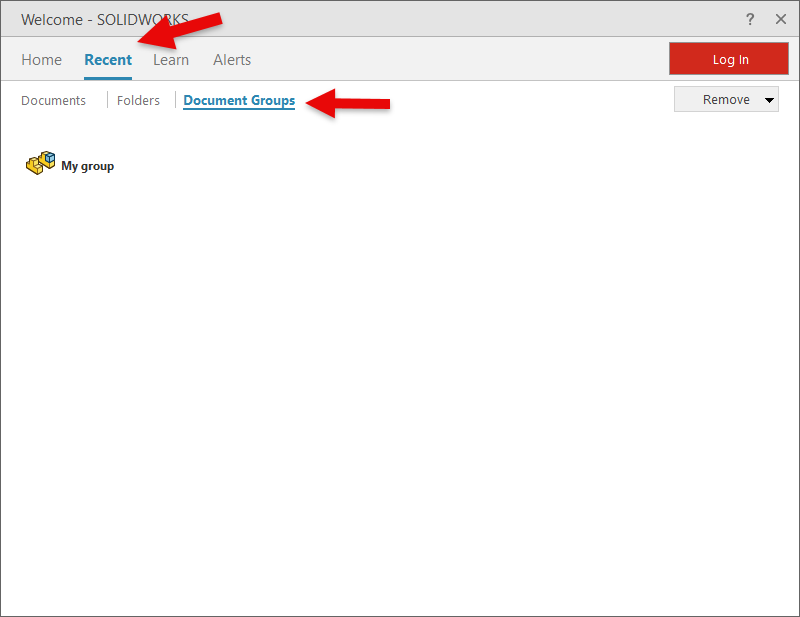
Has this ever happened to you? You’ve been deep into designing and developing a project, working furiously, and before you know it, you have multiple part files, a few assemblies, and some drawings open. It’s…
Unlocking the Power of SOLIDWORKS Cloud Services
 By Dave Ramsey on September 1, 2025
Have you been wanting to start your journey with the 3DEXPERIENCE platform, but weren’t sure of how best to incorporate your SOLIDWORKS environment with it? Don’t worry, you’re not alone. Almost every SOLIDWORKS user has…
Scaling the SOLIDWORKS User Interface
 By Sanja Srzic on August 29, 2025
The overall scale of the SOLIDWORKS user interface is affected by a few different key settings, both inside and outside of the software. These range from adjusting the toolbar and Command Manager sizing to the…
 By
By 
I have seen many companies that seem to be content with 2D-only CAD design capabilities because of their lower cost and relative ease of use. They say things like “we don’t make anything that complicated”,…
How to Fix “The SOLIDWORKS Document Manager Library is Invalid” Error
 By Mahmoud El Shafei on August 21, 2025
Getting the SOLIDWORKS Document Manager Library is Invalid error? Learn how to fix it by repairing your installation or registering the required DLL files. Step-by-step guide included.
Using Angle Limit Mates to Replicate Collision Detection in Assemblies
 By Josh Plante on August 20, 2025
One of the biggest benefits of having an assembly built in SOLIDWORKS is that it gives you the best digital representation of the physical end product. You’re able to verify part fitment, run complex simulations,…
Solutions for Common SOLIDWORKS Display Issues
 By Keily Grubaugh, CSWE on August 18, 2025
Is your SOLIDWORKS graphics area black? Or has your model disappeared from view? We discuss these SOLIDWORKS display issues and how to resolve them.

Design Services
From concept to manufacturing to scale, TriMech Design Services helps makers, startups, inventors, small manufacturers get to market.
Most Popular Posts

SOLIDWORKS 2024 Hardware Recommendations
TriMech has compiled this recommended SOLIDWORKS 2024 hardware guide to aid you in the process of upgrading or purchasing new hardware for SOLIDWORKS.

IMPORTANT! Transfer Activation Prior to Upgrading to SOLIDWORKS 2024
Prior to installing SOLIDWORKS 2024, you need to transfer activation from your prior release of SOLIDWORKS to ensure it’s available to activate SOLIDWORKS 2024.

SOLIDWORKS Packages Comparison
What is the difference between SOLIDWORKS® Standard, Professional and Premium 3D CAD software? Learn about the features included in each of the three SOLIDWORKS offerings.