


Blog Tag
Showing 61-75 of 379.
SOLIDWORKS Drawing
SOLIDWORKS Drawing Tech Tips and Tutorials from Javelin experts. Learn about the best practices and procedures for creating and managing drawings more effectively with SOLIDWORKS software.

Automatic View Update option saved as a Document Property in SOLIDWORKS 2019
Now in SOLIDWORKS 2019, the SOLIDWORKS Automatic View Update option is saved as a document property. This property is stored…

How to add Custom Information to a SOLIDWORKS Balloon
When adding a SOLIDWORKS balloon to a Drawing there is an option to show the quantity of the part. This a…

Using the Foreshorten View SOLIDWORKS Drawing Option
Creating Aligned Views in SOLIDWORKS can have different results, depending on the geometry of the model being sectioned and the…

SOLIDWORKS PDM 2019 Drawing Selection Option During State Change
New in SOLIDWORKS PDM 2019, we have the option: Do not select references that are defined as drawing nodes during state…

Make your BOM Worth a Thousand Words in SOLIDWORKS 2019
Creating a bill of materials to document the different components in an assembly is a near universal task. For caution…

How to change a SOLIDWORKS Bend Note angle to be Complementary or Inside
What is a complementary angle? What am I referring to with changing the bend note angle to be complementary? Unfortunately,…

Need to create a non-standard SOLIDWORKS Drawing View?
I have the following tube I need to detail: Wouldn’t it be nice if I had a view normal to…

How to show a Deformed Shape as an Alternative Position View in a SOLIDWORKS Drawing
In a part or assembly environment we can show the deformed shape of a model, from SOLIDWORKS Simulation analysis results,…

How to attach additional leader lines to SOLIDWORKS Balloons
Does your company require you to have every part in a drawing identified to avoid confusion? This blog post will…

Help DS SolidWorks Improve the Performance of Large Assemblies and Drawings
Submit SOLIDWORKS Software Performance Reports (SPR) and Enhancement Requests (ER) Have you encountered SOLIDWORKS software performance that has hindered your…
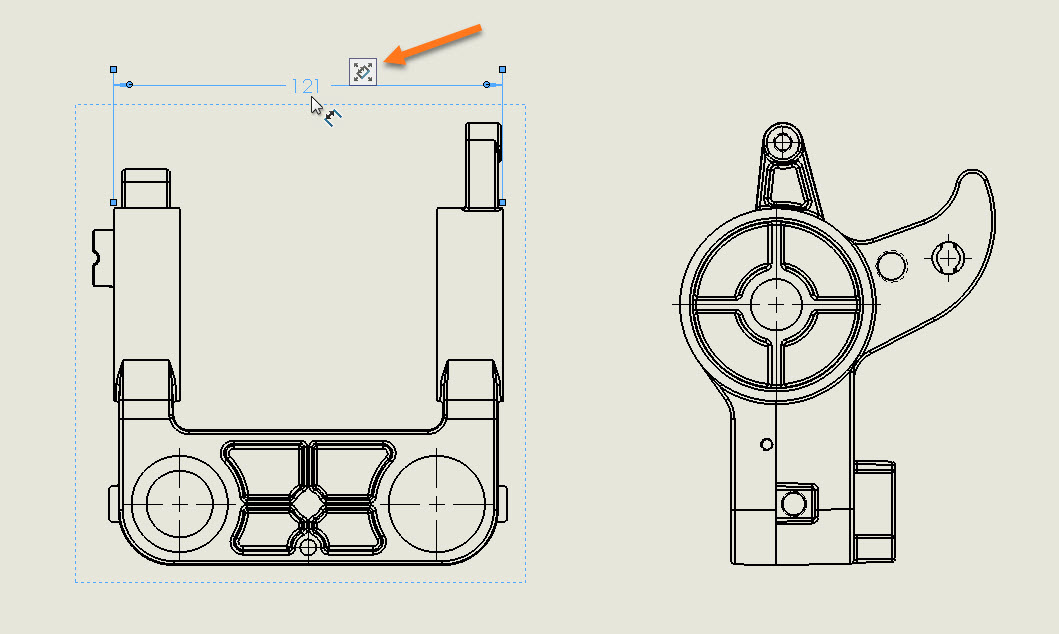
How to bring back the SOLIDWORKS Dimension Palette Icon after moving your Mouse
When you select a dimension in a drawing, the SOLIDWORKS Dimension Palette icon pops up. This allows you to hover…

SOLIDWORKS Virtual Sharp Display Options
A SOLIDWORKS Virtual Sharp in sketches and drawings provide the ability to dimension to the imaginary point where two lines…

How to create a Jog in a SOLIDWORKS Weld Symbol Leader
In this post I will show you how to create a SOLIDWORKS multi jog weld symbol. This is one of…

Adding Balloons to a Sub-Assembly in a SOLIDWORKS Drawing
If you have been working with a SOLIDWORKS bill of material table (BOM) for a while, perhaps you have noticed that…
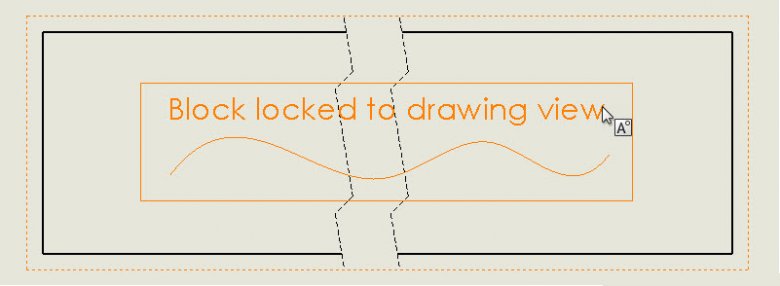
SOLIDWORKS 2018 Drawing Block in Break Views
A new option in SOLIDWORKS 2018 allows you to choose if a block added to a drawing view will be…