


Blog Category
Showing 1-15 of 4,345.
SOLIDWORKS Tech Tips & Articles




Setting Up Windows Users in SOLIDWORKS PDM Professional
 By Cody Foley on March 4, 2026
SOLIDWORKS PDM has the ability to make ad hoc users or groups with their own usernames and passwords, not tied to any other system. This works for some organizations to have users remember login information…
How to Create a “Send To” File Set for SolidCAM Troubleshooting
 By Aric Duprey on March 2, 2026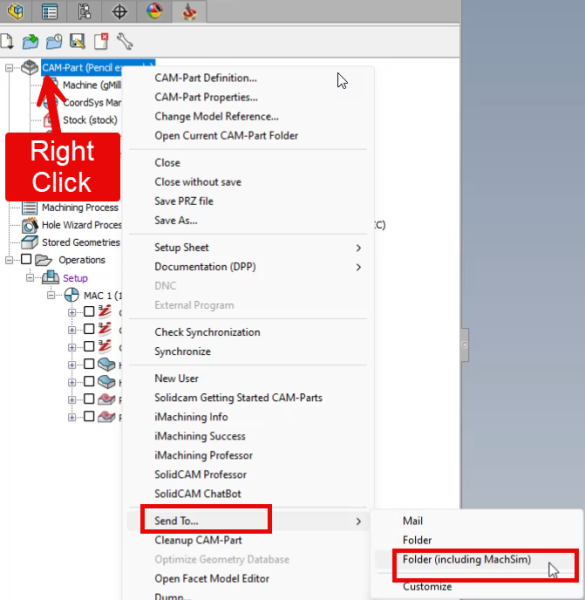
In this blog article will learn how to send complete SolidCAM file-set to TriMech’s Client Success Team for them to help trouble shoot your issue. if you have any CAM related questions you can email [email protected]
DriveWorks World 2026 | Your Complete Guide
 By Paige Woolley on February 27, 2026
DriveWorks World 2026 begins on April 15th, 2026, and is a digital, community-driven celebration of innovation, knowledge sharing, and technical expertise. It’s a unique opportunity to connect with thousands of DriveWorks users worldwide that is…
Reaction Injection Molding using SOLIDWORKS Plastics
 By Suman Sudhakaran on February 25, 2026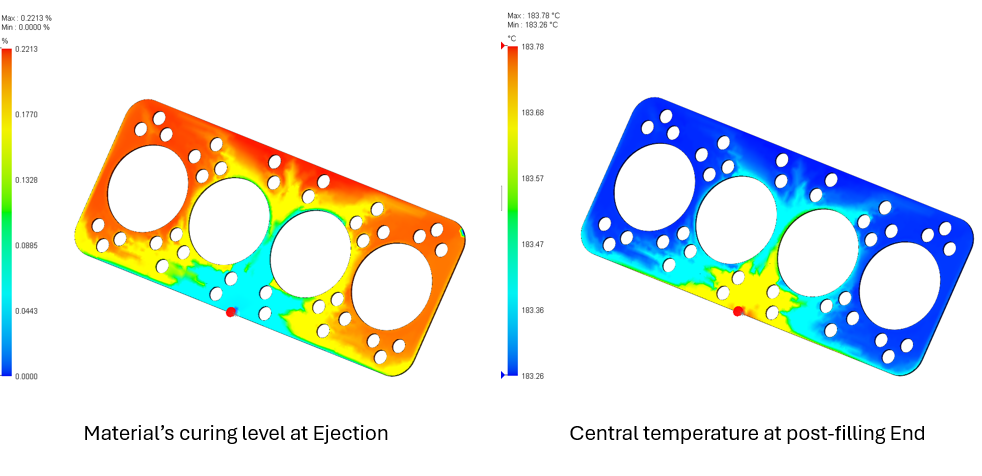
Reaction injection molding (RIM) is a specialized molding technique in which two reagents (e.g., a resin) are mixed and injected into a mold cavity to react and solidify. While reaction injection molding is a low-pressure,…
How to Rotate Components in SOLIDWORKS Assemblies
 By Alaa Hosn on February 23, 2026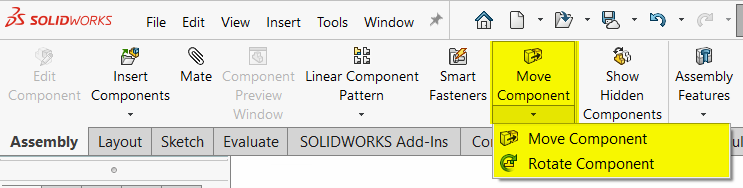
SOLIDWORKS assemblies make it easy to show how components may look and move in a real-world environment. Before finalizing mates and alignment, you may need to rotate components in your assemblies to simplify downstream workflows….
How to Hide, Show, and Isolate Bodies in SOLIDWORKS
By Alaa Hosn on February 20, 2026
SOLIDWORKS provides precise control over geometry visibility at any moment by allowing users to hide and show items in the SOLIDWORKS Feature Tree. This makes it easy to focus on specific features or details…
Failed to Obtain a License for SOLIDWORKS PDM Professional | Common Causes and How to Fix Them
 By Michael Nwachukwu on February 18, 2026
When working with SOLIDWORKS PDM Professional, encountering license errors such as “Failed to obtain a license for SOLIDWORKS PDM” can be frustrating and confusing. These errors often stem from misunderstandings about how SOLIDWORKS PDM licenses…
Evaluating Angular Deformation using SOLIDWORKS Simulation
By Suman Sudhakaran on February 16, 2026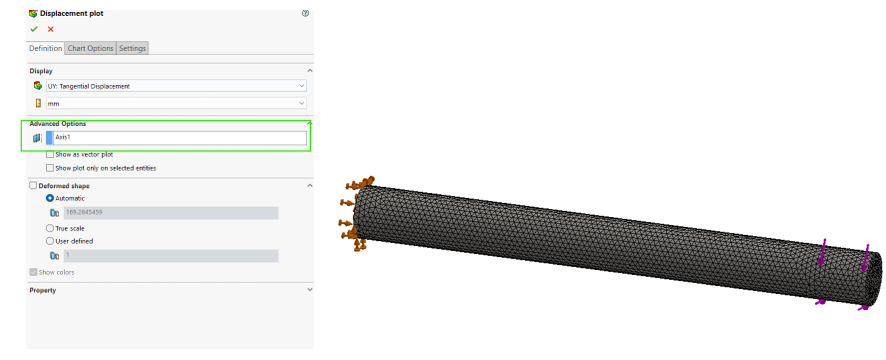
When post-processing simulation results, we may want to evaluate the angular displacement of components. Angular deformation represents the rotational displacement of a body or region about a defined axis under applied loads. This is particularly…
How to Create a Sphere in SOLIDWORKS | Three Different Methods
 By Ryan Burgess on February 13, 2026
There are several different approaches to create a sphere in SOLIDWORKS. While it is a straightforward task, you may need to use one or all of the methods depending on your requirements.
Modeling Thermoelectric Coolers in SOLIDWORKS Flow Simulation
By Suman Sudhakaran on February 11, 2026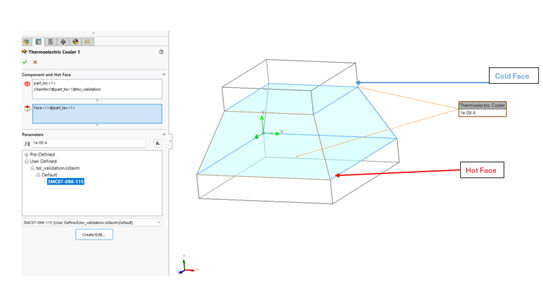
The Peltier effect is a phenomenon observed in thermoelectric coolers when an electric current is maintained in a circuit of two dissimilar conductors. This results in the cooling of one junction and heating of the…
Using Detail and Section Views to Add Intelligence to SOLIDWORKS Drawings
 By John Landis on February 9, 2026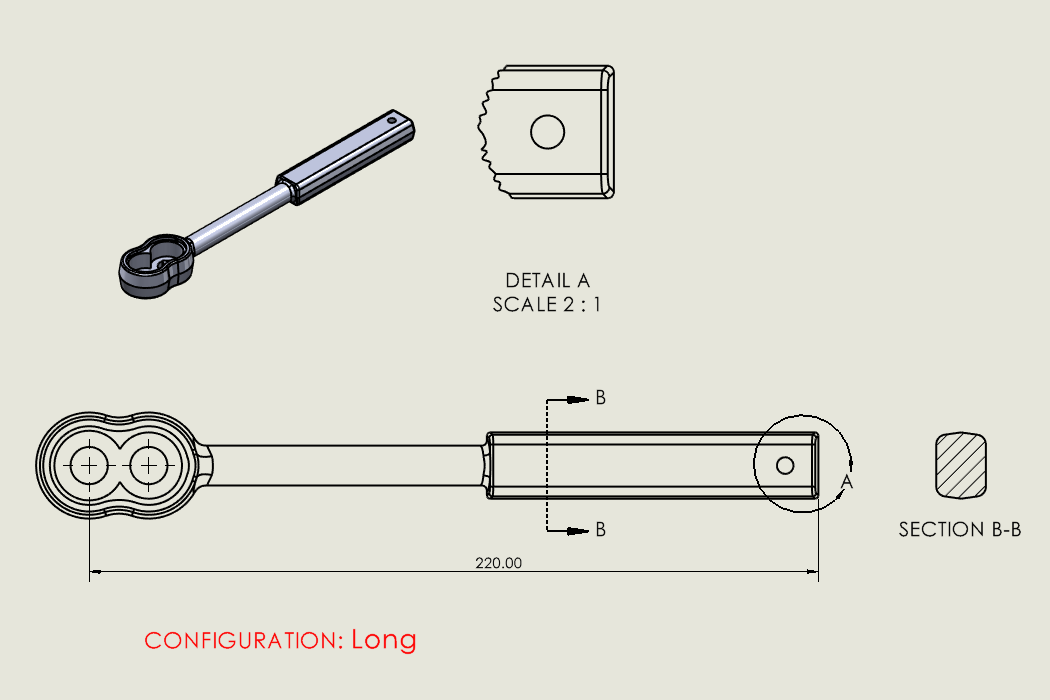
Detail and section views are commonly used in SOLIDWORKS drawings and are an easy way to communicate important details. These view types rely on a parent drawing view, and they generate linework based on the…
SOLIDWORKS PDM Automation with Serial Numbers and Templates
 By Dewayne May on February 5, 2026
SOLIDWORKS PDM serial numbers and templates can help your company stay on standard for naming conventions, folder structure, and remove the disconnect between an ERP and PDM system. With them, your team can stay on…
Understanding The Hatch and Fill Area Commands in DraftSight
 By Mike Walloch, CSWE on February 4, 2026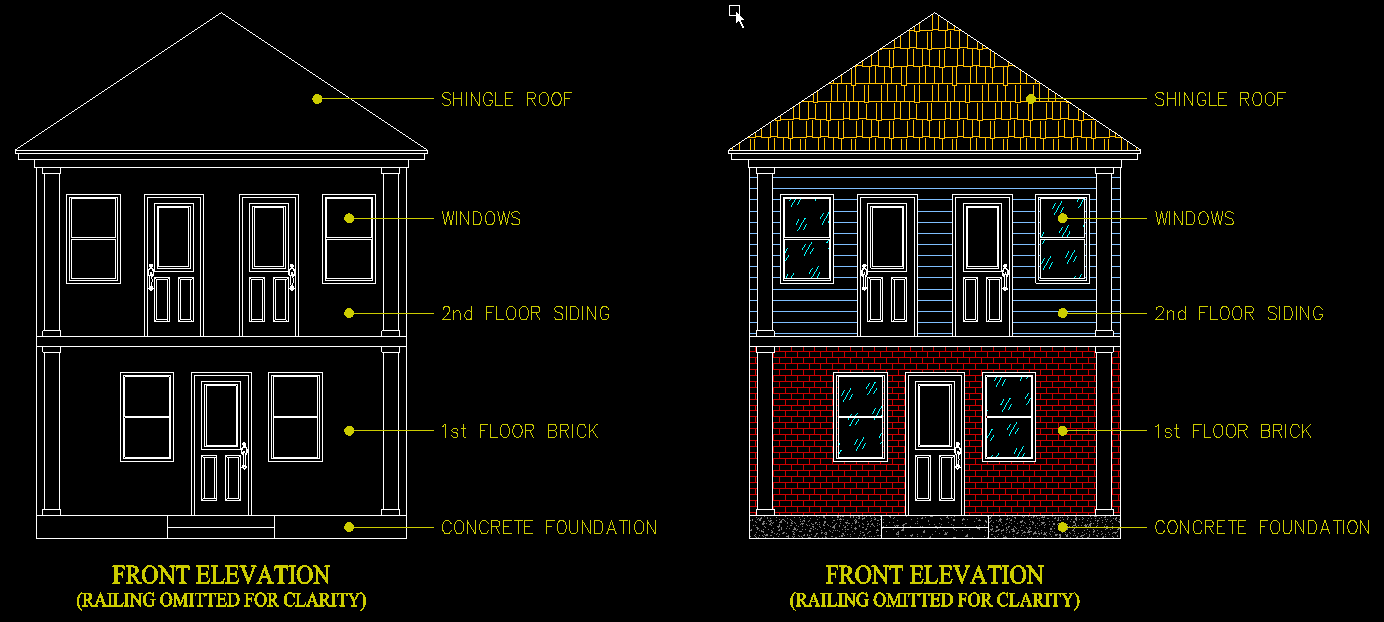
There have been some big changes to Hatches, Color Fills, and Gradients in recent DraftSight updates. These Hatch entities are more robust, with more options to make our drawings ‘pop’ with top-notch visual effects than…
How to Access the Windows Event Logs for Application and System Logs
By Cody Foley on February 2, 2026
When troubleshooting SOLIDWORKS PDM issues, a helpful resource to diagnose an issue is the Windows Event Logs. In particular, the Application log and System log can prove immensely helpful in finding the root cause of…

While there isn’t a specific command to lock a sketch in SOLIDWORKS, there are a handful of methods that can achieve this depending on your goal. The best method to lock SOLIDWORKS sketches comes down…

Design Services
From concept to manufacturing to scale, TriMech Design Services helps makers, startups, inventors, small manufacturers get to market.
Most Popular Posts

SOLIDWORKS 2024 Hardware Recommendations
TriMech has compiled this recommended SOLIDWORKS 2024 hardware guide to aid you in the process of upgrading or purchasing new hardware for SOLIDWORKS.

IMPORTANT! Transfer Activation Prior to Upgrading to SOLIDWORKS 2024
Prior to installing SOLIDWORKS 2024, you need to transfer activation from your prior release of SOLIDWORKS to ensure it’s available to activate SOLIDWORKS 2024.

SOLIDWORKS Packages Comparison
What is the difference between SOLIDWORKS® Standard, Professional and Premium 3D CAD software? Learn about the features included in each of the three SOLIDWORKS offerings.