







What is the Artec Spider II?
Artec Space Spider II is a hand-held 3D scanner designed specifically for CAD users and perfect for reverse engineering, product design, quality control and mass production. Together with Artec Studio software, it is a powerful, desktop tool for designers, engineers and inventors of every kind.
How does it work?
The Spider is a high-resolution 3D scanner based on blue light technology. It is perfect for capturing small objects or intricate details of large industrial objects in high resolution, with steadfast accuracy and brilliant colour.
The scanner’s ability to render complex geometry, sharp edges and thin ribs sets the technology apart. It is an ideal industrial 3D scanner for high resolution capturing of objects such as molding parts, PCBs, keys, coins or even a human ear, followed by the export of the final 3D model to CAD software.

Artec Spider II Capabilities
Make extremely accurate 3D models of small industrial objects or sections of larger objects in fine detail
High accuracy does not have to be time consuming. Artec Space Spider process up to one million points per second!
Capture the geometry of your items with astonishing precision. Space Spider can even render the ridges of your fingerprint!
Make full colour 3D replicas of your object
Your Spider II quickly reaches an optimal temperature, to provide precise results regardless of the surrounding conditions, ensuring accurate measurements and long-term repeatability.
Safe for eyes, easy on parts, and completely contact free, the Spider II can be used to capture any object, whether they be body parts, for medical applications, forensic use, and more.
No need for preparation, just plug in the scanner and point it around the item as you would with a video camera.
For capturing larger objects, or for creating an automatic scanning system, several 3D scanners can be bundled and synced together.
Artec Spider II Features
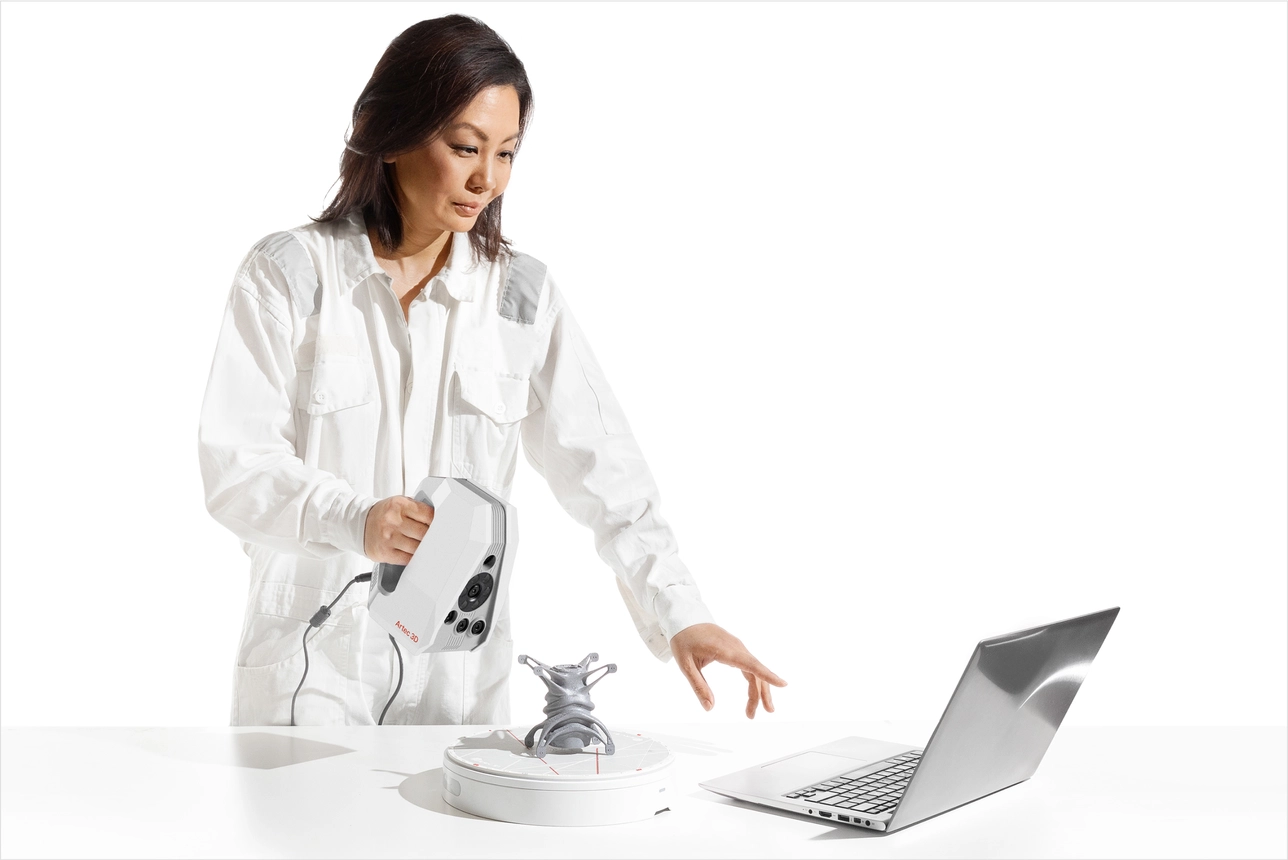
Contact & Target-free scanning
Forget spending extra effort and resources applying 3D scanning targets – Spider II simplifies the scanning process and reduces setup time while delivering excellent results more efficiently.
Target-free scanning lets you scan with zero contact, ensuring medical settings remain uncontaminated, forensic scenes remain untouched, and restricted areas where targets are prohibited remain accessible.
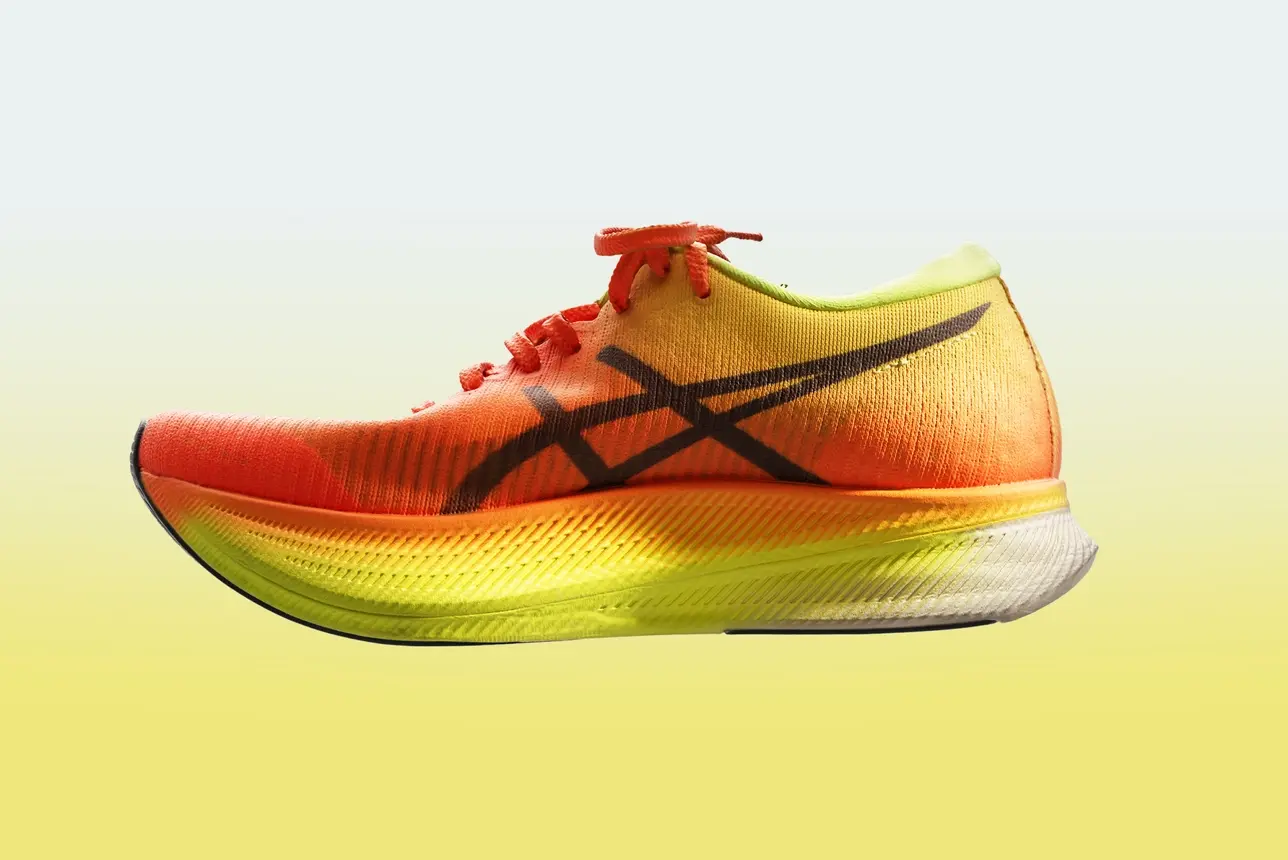
Capture in realistic colour
The Artec Spider II doesn’t just capture in high accuracy, it’s paying attention to texture, too.
Artec scanners are designed to help you capture all surfaces – even those that are notoriously difficult to capture.
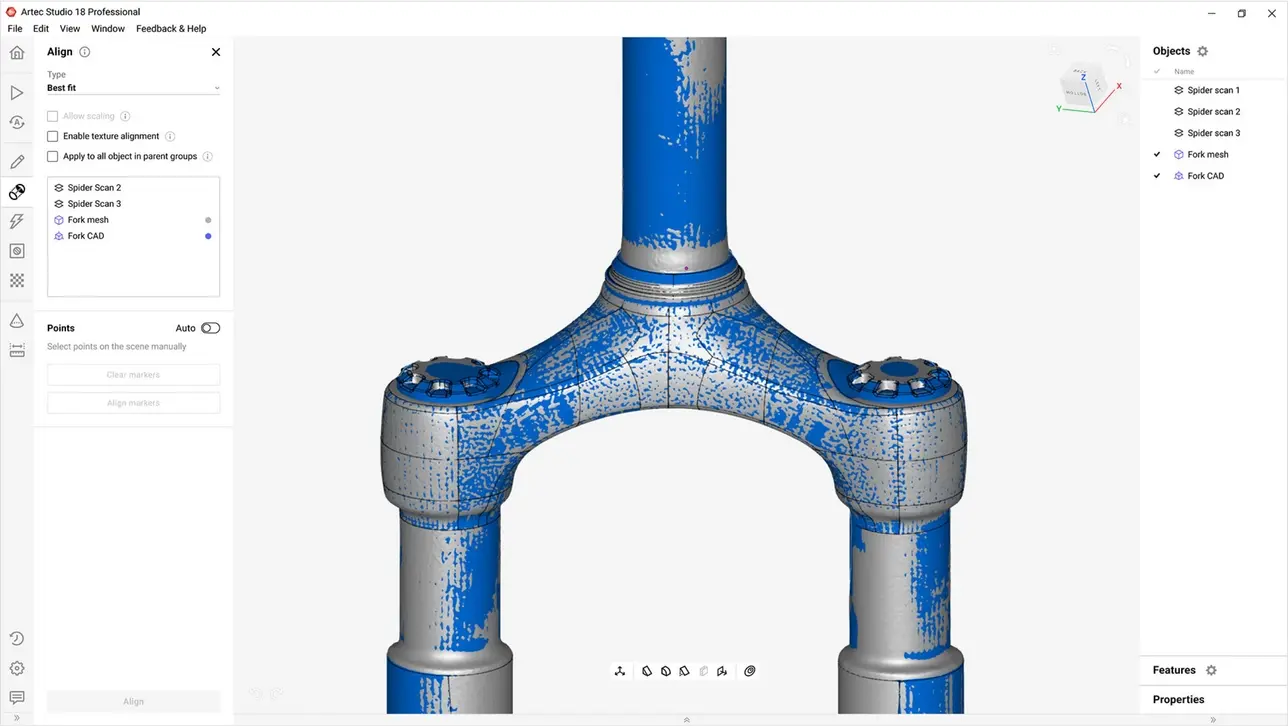
Powerful Software
Professional Artec Studio software handles all the data you capture with ease, letting you choose between automated processing for greater convenience, or the ability to set your own parameters for more advanced users.
Artec Studio releases a new software version every year, so you can enjoy cutting-edge new features that simplify, advance, and renew your workflow, keeping your scanner ahead of the curve, year after year.
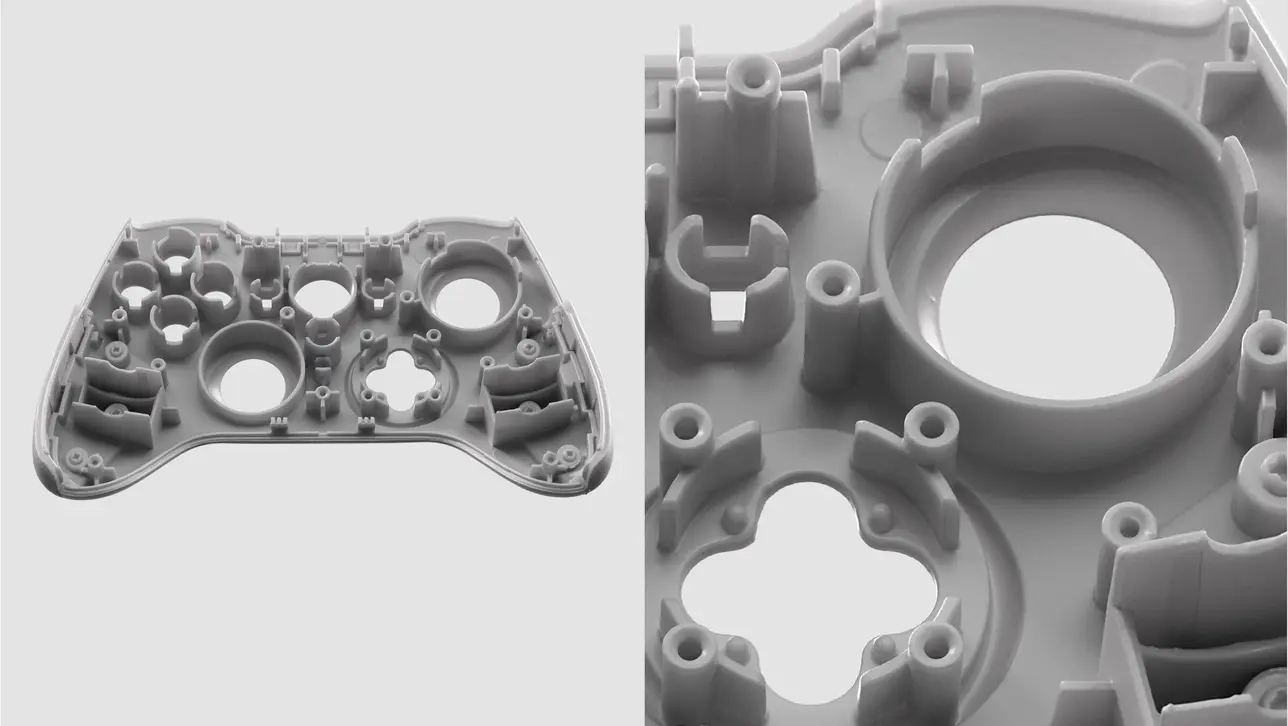
Unparalleled level of detail
The Spider II uses blue-light technology, combining precise geometric accuracy and color to deliver 3D models unmatched by anything currently on the market.
Such high detail is no longer reserved for tiny parts – everything from small change to parts as large as a car engine are perfectly recreated digitally.
Artec scanners are designed to help you capture all surfaces – even those that are notoriously difficult to capture.
Specifications
Review the specifications of the Artec Spider II
| Resolution & accuracy | |
|---|---|
| Resolution, up to | 0.05 mm |
| Accuracy, up to | 0.05 mm |
| 3D accuracy over distance, up to | 0.05 mm + 0.3 mm/m |
| Scanning range | |
|---|---|
| Size of scanning object/area | S–M |
| Working distance | 0.19–0.3 m |
| Volume capture zone | 1,800 cm³ |
| Linear field of view H×W @ closest range | 128 × 104 mm |
| Linear field of view H×W @ furthest range | 171 × 152 mm |
| Speed | |
|---|---|
| 3D reconstruction rate for real-time fusion, up to | 30 fps |
| Data acquisition speed, up to | 8 mln points/s |
| Scanning algorithms | |
|---|---|
| Target-free technology | Yes |
| Hybrid geometry and texture tracking | Yes |
| Texture | |
|---|---|
| Texture resolution | 5 MP |
| Colors | 24 bpp |
| Hardware | |
|---|---|
| Scanner type | Handheld |
| Power source | AC/DC power adapter, DC 24V |
| Interface | Thunderbolt 3, compatible with Thunderbolt 4 hosts |
| 3D structured-light source | 450 nm LED |
| Texture illumination source | White LED CRI > 95, color temperature 4000 K |
| Dimensions H×D×W | 187 × 156 × 118 mm |
| Weight | 0.95 kg / 2.1 lbs |
| Warranty | 2 years |
| Compatibility | |
|---|---|
| Supported OS | Windows 10 x64, Windows 11 |
| Recommended computer parameters | 13th or 14th Gen Intel Core i7 or i9 processors, RTX 4070 8 GB |
| Minimum computer requirements | 12th Gen Intel Core i9 processor, RTX 4060 8 GB |
| Output formats | |
|---|---|
| 3D mesh | OBJ, PLY, WRL, STL, AOP, ASC, PTX, E57, XYZRGB |
| CAD | STEP, IGES, X_T |
| Measurements | CSV, DXF, XML |
Software
Revolutionary 3D scanning and data processing software

Creating 3D scanning masterpieces requires smart and powerful software to capture, process, analyze and edit data. Now anyone can achieve professional results with the most comprehensive and straightforward 3D scanning software on the market today.
- User-friendly and intuitive interface for smooth, expertly guided 3D scanning
- Quick and easy start-up process. No special positioning requirements, just point and shoot
- Artec Studio software is compatible with tablets as well as 3D sensors, and together with the battery pack for the 3D scanner, you can easily create professional scans anytime and anywhere
- Get high quality scans every time with a smart tracking system that ensures correct movement of the scanner and object capture
- Stop or pause scanning and continue exactly from where you left off, with the smart
auto-continue feature - Achieve equally great results using both manual and Autopilot modes


Capturing data is easy with an Artec 3D Scanner
A three step automatic process using advanced software
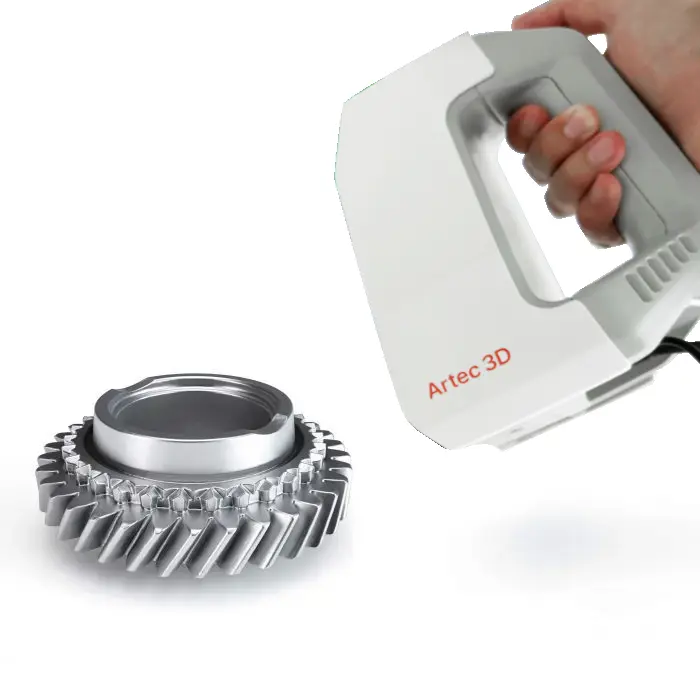
1. Scan the object
No need to prepare your object in advance, just point the 3D scanner and shoot in automatic mode.

2. Fuse & Optimize
Optimize the size of your final file by reducing the number of polygons from millions to thousands while maintaining the high quality of the mesh.
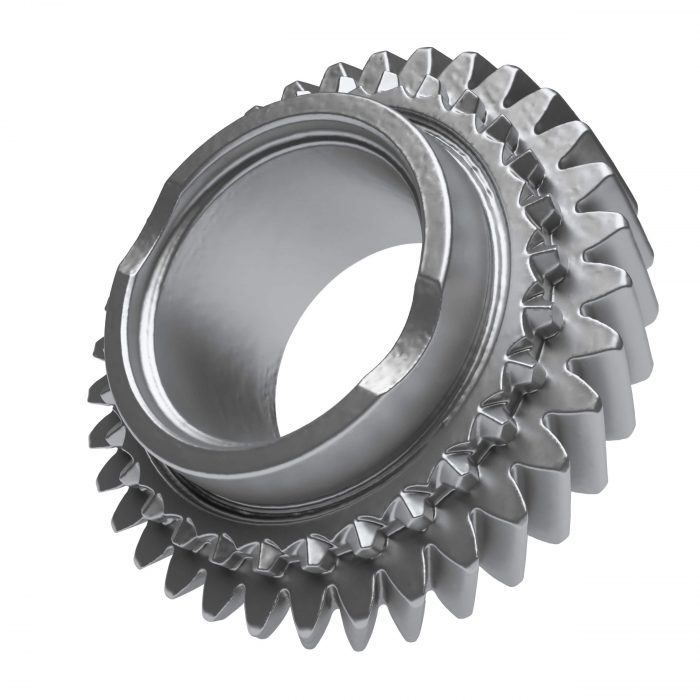
3. Texturize & Export
Add high quality texture to your model in no time! Export to a variety of different CAD systems including SOLIDWORKS.
Artec Space Spider II FAQs
While the Artec Space Spider delivers exceptional results in incredible detail, the Spider II takes things a step further with twice the resolution, four times the speed, and smarter algorithms.
Interested in an Artec Space Spider II 3D Scanner?
Call us free at 1-877-219-6757 and get your questions answered