







The Only Complete Scan-to-SOLIDWORKS Solution
Are you looking to quickly scan real world objects into SOLIDWORKS CAD models?
Meet Geomagic for SOLIDWORKS software, the most complete integrated Scan-to-SOLIDWORKS software solution with the capability to quickly and easily create accurate sketches, surfaces or feature-based editable solid parts inside SOLIDWORKS.
This software supports various 3D scanners, as well as the import of standard point and polygon file formats.
Create Quality 3D Models from Scan Data
Geomagic Wrap delivers the required tools for an improved smoother workflow. With a user-friendly, affordable, fast and accurate path from point clouds to 3D polygonal and surface models as a vital part of your 3D digital thread, Geomagic Wrap provides you with the necessary tools to create quality data that can instantly be used in 3D printing, milling, archiving and multiple other 3D uses.
With its Exact Surfacing tools, the easy-to-use Geomagic software delivers progressive modeling functions needed to create high-quality 3D models every time.
Thanks to the use of scripting and macros, a series of repetitive reverse engineering tasks can be automated, simplifying the workflow.
Geomagic Wrap Overview
Geomagic Wrap Capabilities
Go from cloud/point data to surface:
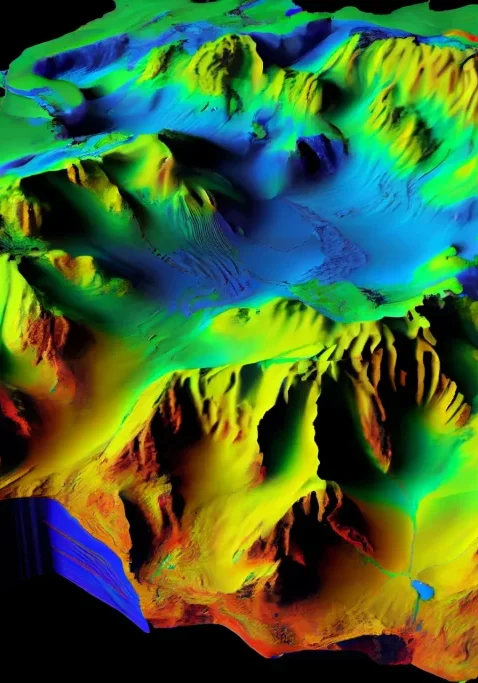
3D Scanner Support
Support for the industry’s widest range of non-contact 3D scanning and probe devices
Point cloud processing
Fast automated processing of point cloud data
Remesh Tool
Powerful Remesh tool for fast, accurate create clean polygon models from dirty scan data
Polygon Editing
Polygon editing tools for hole filling, smoothing, patching and water tight model creation
Feature Extraction
Curve and hard feature extraction from polygon bodies for Design from Scan data applications
Surfacing
Precise surfacing of the model into NURBS using the easy and comprehensive Exact Surfacing interface
Exact Surfacing Tools
Extensive Exact Surfacing tools give more control over your surface quality and layout, and allows for total control over NURBS patch layout, surface quality, and continuity
Scripting Tools
Powerful scripting tools enable the extension of Wrap far beyond its off-the-shelf capabilities and the full automation of the routine
Export Files
File export formats include: WRP, IGES, X_T, SAT, PRC, STEP, VDA, NEU, 3DS, DXF, OOGL, IV, PLY, STL, WRL, OBJ
Geomagic Wrap Features
Geomagic Wrap software in action
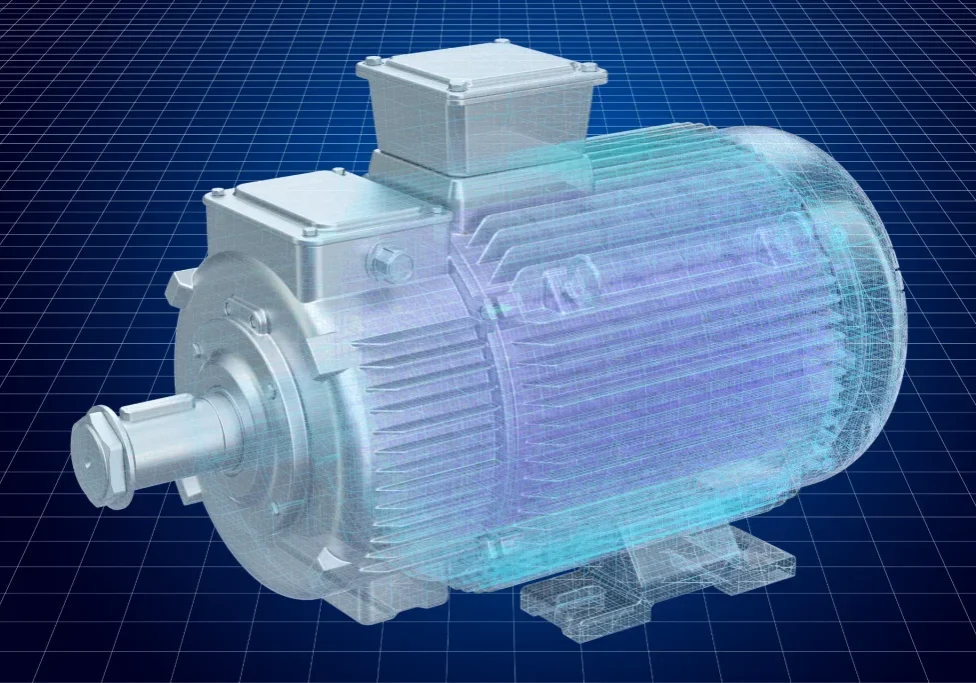
Create watertight 3D models
Rapidly create perfect, watertight 3D models of physical objects from 3D scan data and use them to perform advanced functions such as finite element analysis (FEA) and computational fluid dynamics (CFD).
Visual effects artists and animators can use these 3D models in Autodesk® Maya®, Autodesk 3ds Max®, and other 3D computer animation software.
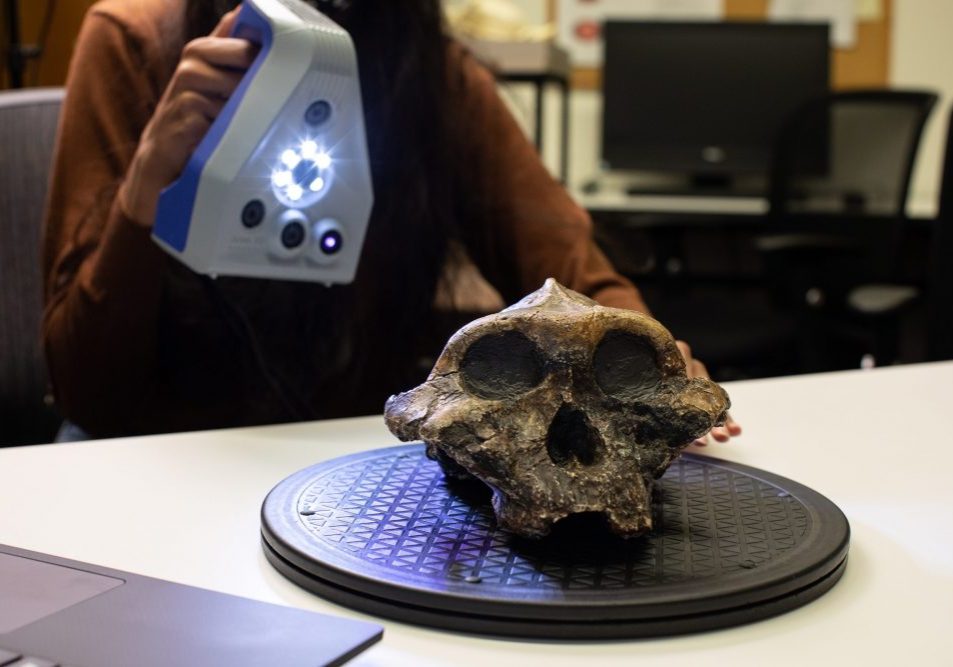
Analyze small details
Archaeologists use the power of 3D in Geomagic Wrap to archive and analyze petroglyphs and ancient markings, which you often cannot detect with the naked eye.
With its direct 3D print capabilities, students and museum visitors can experience an ancient artifact without actually touching it.

Represent physical objects in 3D
Artists and sculptors use Geomagic Wrap to represent physical objects in 3D design environments, delivering watertight 3D data in a wide range of industry-standard formats. Create perfect works of art and scale sculptures. Archive and restore fragile or eroded artifacts with the help of 3D.
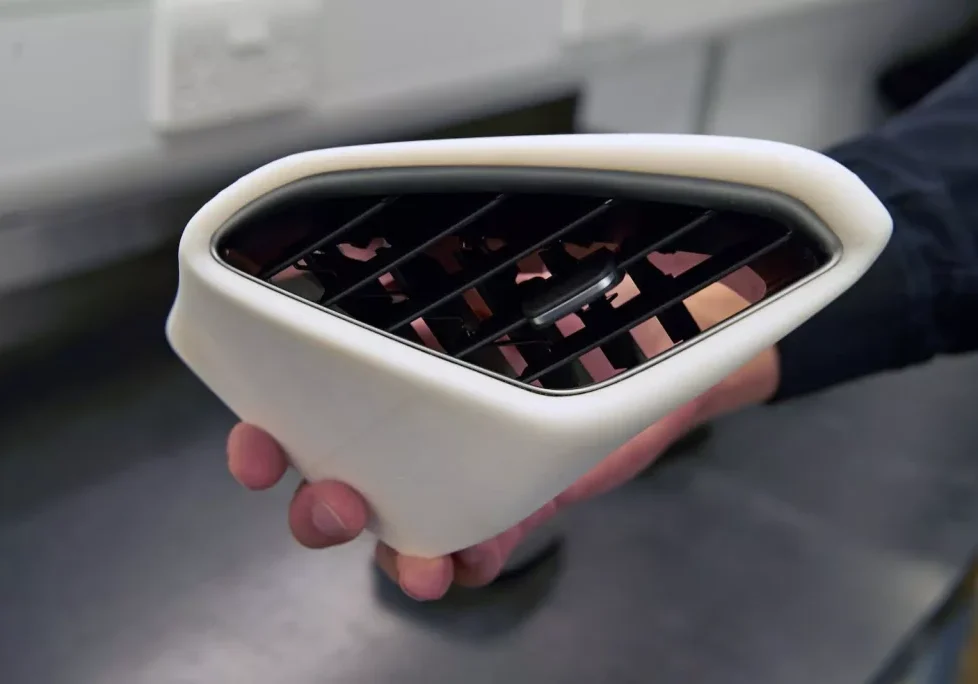
Create Solid Parts
Create solid parts with Geomagic Wrap. The combination of mesh editing and point cloud processing automatic and guided feature extraction and accurate and fast exact surface fitting to organic 3D scans help create useful featurebased solid models. Now, you can scan virtually anything and create manufacturing-ready designs.
Geomagic Wrap Process

1. Scan & Process Points
Capture the required data using mainstream 3D scanners and probes.
Straightforward, expert handling and refinement of huge point cloud data sets.

2. Mesh Construction
Make exact 3D models directly from the captured data.
Construct polygon objects from point clouds to create watertight meshes faster.

3. Surface and Texture Map
Create and transfer 3D surface to other CAD.
Fit complex freeform NURBS surfaces onto a mesh with Auto and Exact surfacing.
Create high-quality texture maps for improved downstream usability.
Geomagic Wrap Compatability
Geomagic Wrap supports all 3D digitizers, cameras, and scanners in XYZ/ASCII format, and it handles ordered and unordered surface and volume data
- 3PI – ShapeGrabbeM
- 3DS – 3D Studio
- AC – Steinbichler
- ASC – generic ASCII
- BIN, SWL – Perceptron
- BRE – Breuckmann
- BTX – Surphaser
- CDK, CDM, RGV, RVM, VVD
- Konica Minolt0
- COP – Pulsetech
- CWK – Kreon
- DBT – Digibotics
- FLS – Faro LS
- G3D, SURF – GOM
- GPD – Geomagic
- GTI – Genex
- HYM – Hymarc
- ICV – Solutionix
- IV – OpenInventor
- IQMOD, iQWSP, iQSCAN
- IQvolution
- MET, MTN – Metron
- MPC, TOC – MantisVision
- NAS – Nastran
- NET – InSpec
- OPD – Optimel
- OPT – Open Technologies
- PCN – LDI
- PCT – Vialuk
- PIX – Roland
- PTX – Leica
- SAB2 – Nikon
- SCN, MGP – Laser Design
- SCN – Next Engine
- SNX – Solutionix
- SWL – ScanWorks Light
- VDA – VDA
- VVD – Vivid
- XYZ – Opton
- XYZN – Cognitens
- ZFS – Zoller & Frohlich
Geomagic Wrap Import/Export
The following filetypes are available with Geomagic Wrap
- 3DS
- OBJ
- DXF
- PLY
- STL
- LWO
- VRML
- WRP
- VTX/ASC
- IGES
- STEP
- Parasolid
- Pro/ENGINEER
- SAT
Geomagic Wrap FAQs
Interested in Geomagic Wrap software?
Call us free at 1-877-219-6757 and get your questions answered